Design by Conversation
In a showroom, the brief lives in the conversation — not a form. This Auto Design concept captures it all (voice, floor plans, sketches, inspiration, even the live customer–designer chat) and builds the kitchen as they talk.
- Product
- Cyncly · Winner Flex
- Auto Design — Phase 2
- Stage
- Discovery
- Validated with positive user testing
- Focus
- Multimodal input · AI brief capture · showroom UX
- Role
- Concept & interactive prototype
A kitchen brief is rarely typed into a form. It's spoken across a showroom table — the customer gesturing at a floor plan, showing photos on their phone, the designer sketching ideas on the side. Today that richness gets flattened into fields after the fact, and the design starts from a thin summary of a rich conversation. The question behind this discovery: what if the tool met the conversation where it happens, and turned everything shared — words, plans, images, sketches — into a design, live?
This extends Cyncly's Auto Design in Winner Flex — the professional kitchen-design software used across the industry — to the moment of the showroom conversation. It's a discovery project: explored, prototyped, and validated with positive user testing, and not yet built. The aim was to prove a direction — multimodal brief capture that produces a credible, catalog-grounded design while the customer is still in the room — before committing engineering to it.
Constraints
- The brief arrives in many forms at once — speech, a floor plan, phone photos, a rough sketch — and they have to combine into one coherent intent.
- It has to fit a live showroom moment: fast and low-friction, usable while a designer is mid-conversation with a customer.
- Whatever it generates must stay grounded in the real catalog and the room — a credible starting point, not just a pretty render.
- It extends an existing pro tool (Winner Flex / Auto Design), so it has to feel like a natural new capability, not a separate app.
The brief lives in the conversation
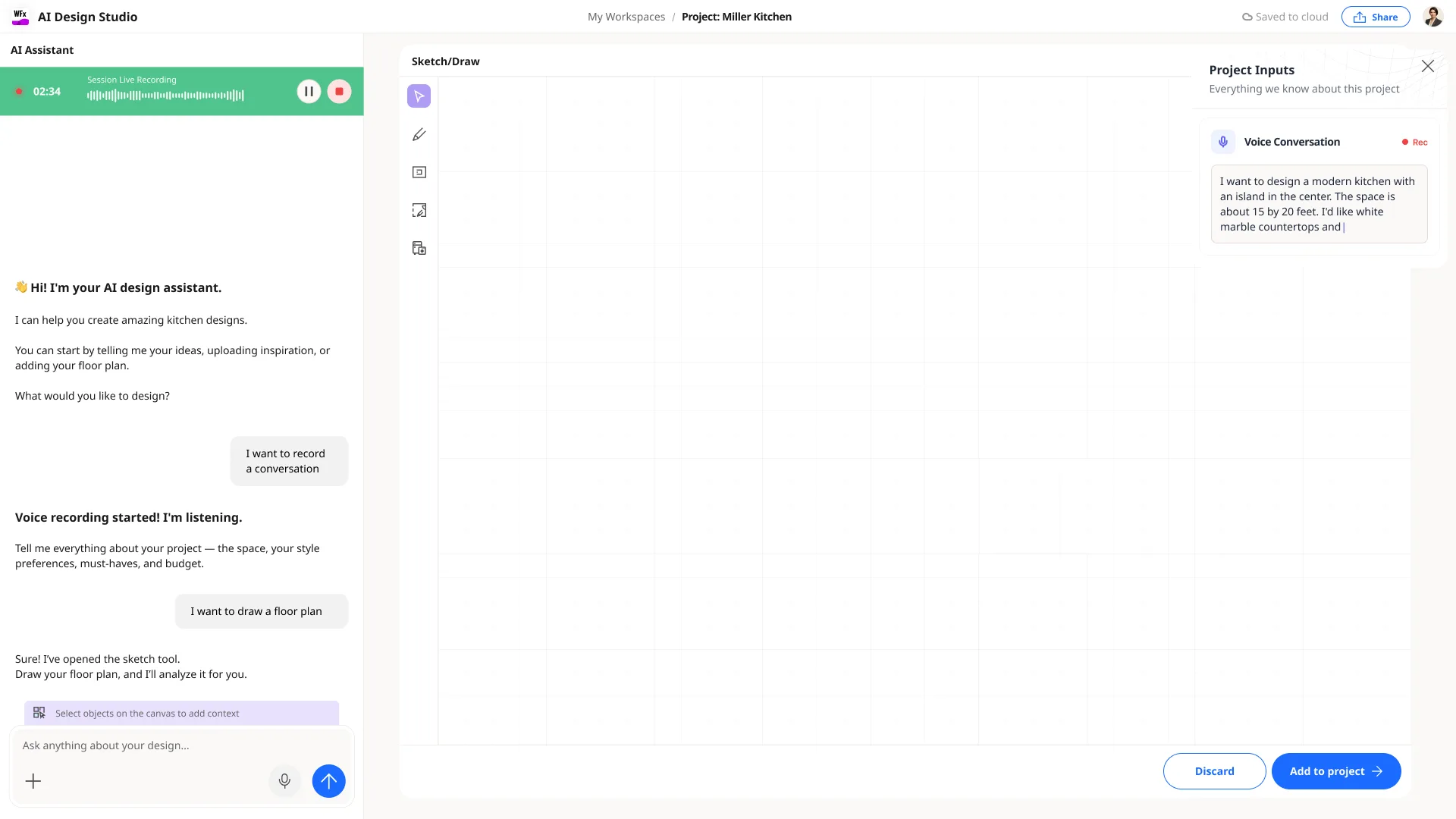
In a showroom, a kitchen project starts as a conversation. A customer describes what they want, points at a floor plan, pulls up photos they love; the designer listens, asks, and sketches. The real brief is spread across all of that — speech, images, a plan, a few lines drawn on paper.
Auto Design already turns a layout and a brief into complete, catalog-grounded kitchens. Phase 2 asks an earlier question: what if capturing the brief didn't mean stopping to fill in a form — what if the tool could take in everything the conversation already produced, and start designing from it?
Meet the brief where it actually happens
A form is precise but it comes after the conversation — and it loses everything that doesn't fit a field. A blank chat is natural but it drops the floor plan, the photos, the sketch on the table.
Options weighed
- Form-first: structured, but it flattens a rich conversation into fields and starts from a thin summary.
- Chat-only: natural, but it ignores the plans, images and sketches that carry half the intent.
- Multimodal capture: let people start from a conversation, voice, inspiration, a floor plan or a sketch — and combine them.
Decision
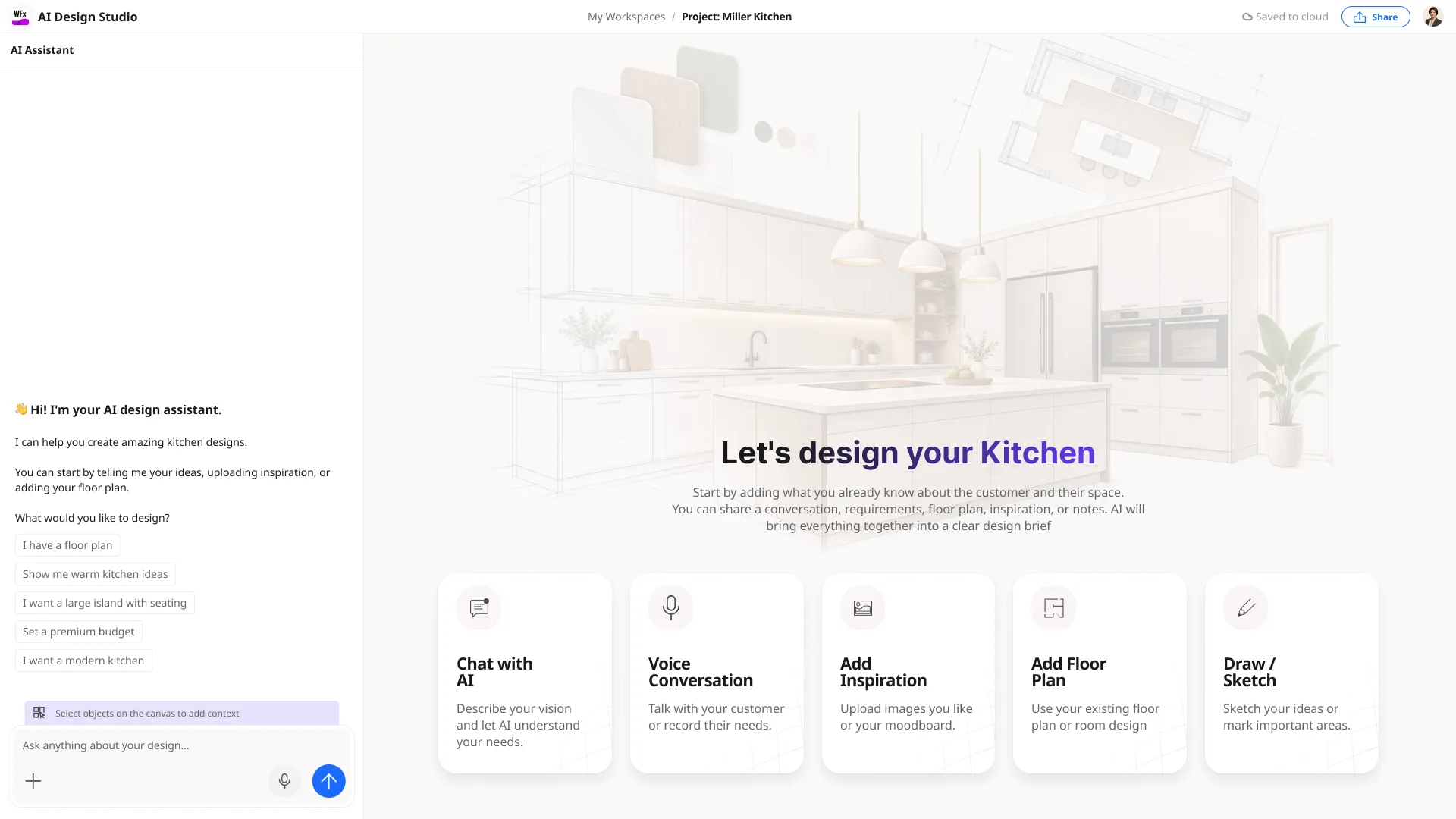
An entry built around **how the brief actually arrives** — five ways to start (Chat, Voice, Inspiration, Floor Plan, Sketch) that all pour into the same place. The designer uses whatever the customer brought; AI brings it together into one clear brief.
Trade-off — More input surfaces to design and reconcile, in exchange for a brief that reflects the whole conversation instead of a form filled in afterwards.
How it comes together
- 01
Capture — anything
Talk, record the customer, upload inspiration, drop in a floor plan, or sketch the room. Start from one input or several.
- 02
Combine
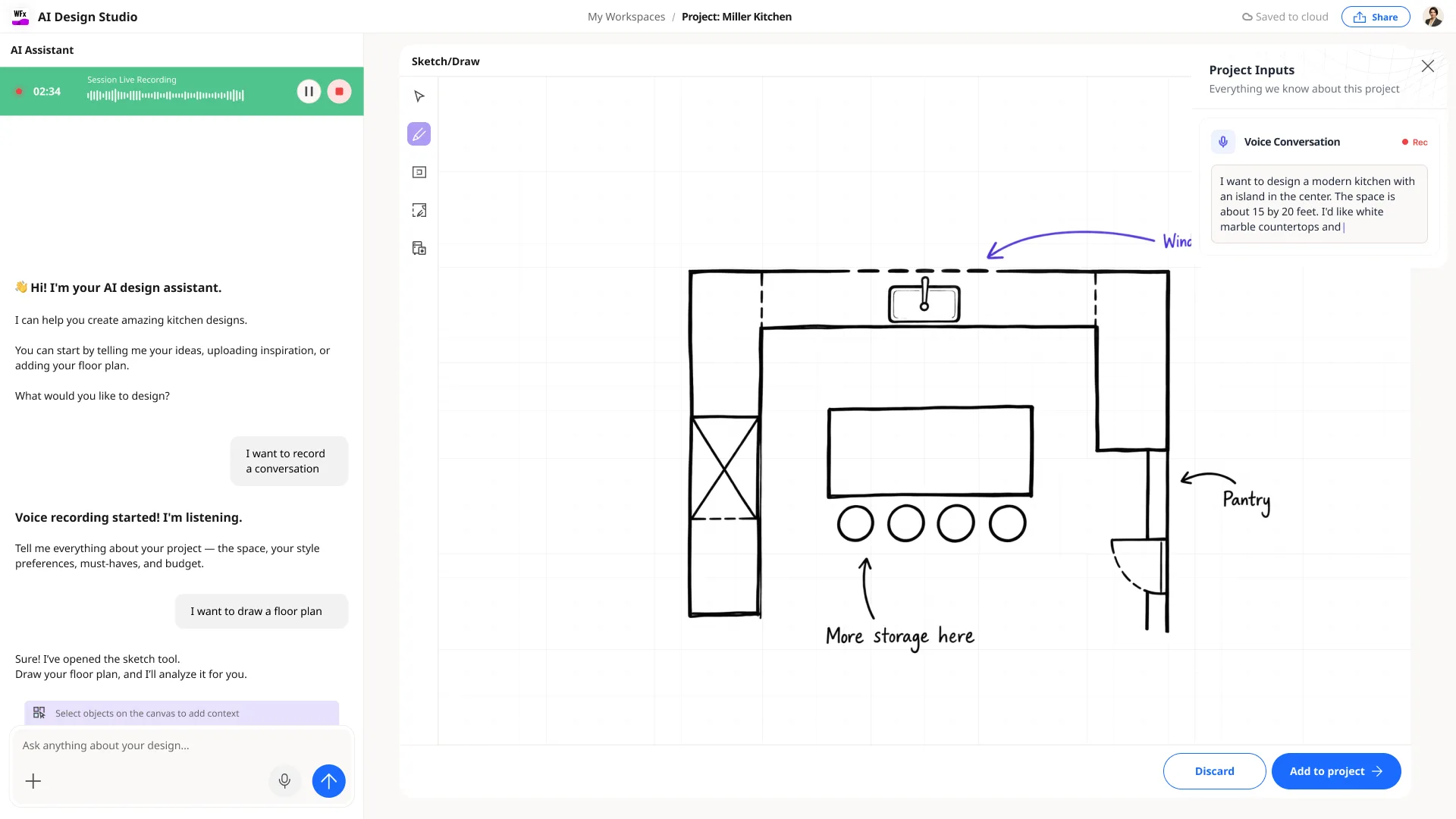
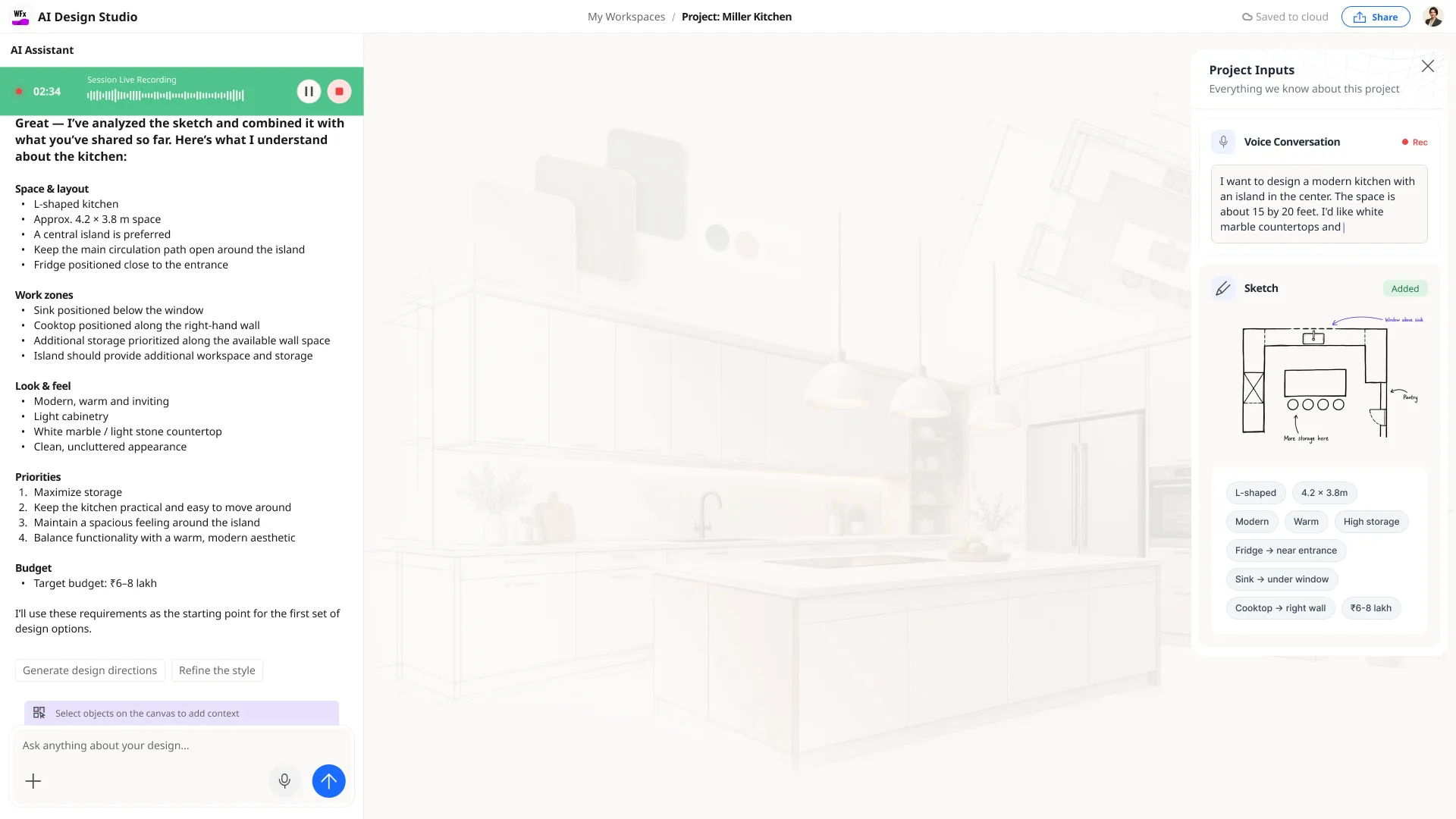
AI reconciles speech, images, plan and sketch into a single, readable design brief — materials, style, layout, priorities, budget.
- 03
Build in the background
The kitchen takes shape as the conversation continues — no stopping to fill in a form before anything happens.
- 04
Generate directions
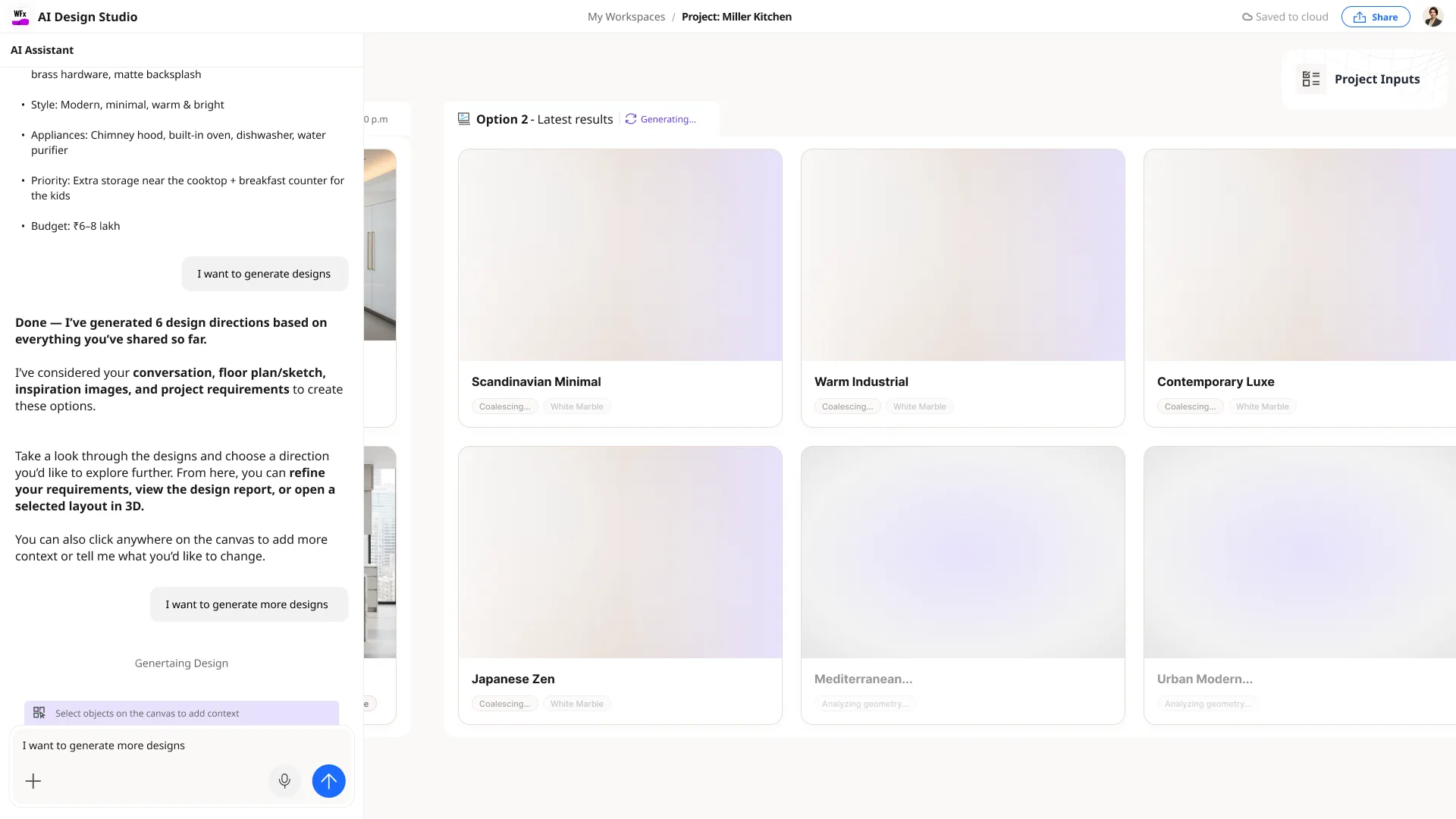
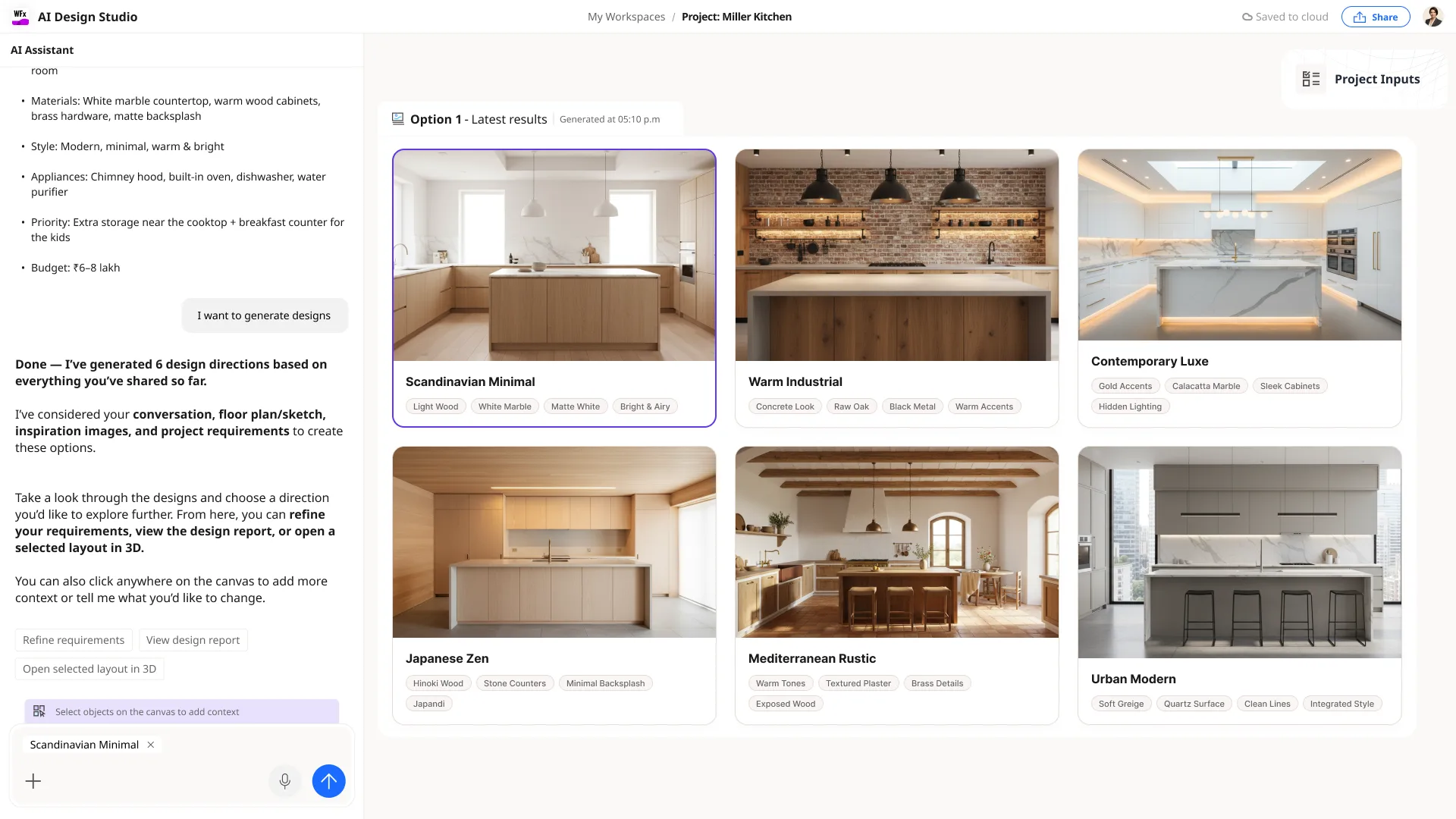
It resolves into several catalog-grounded design directions to review, refine, or open in 3D.
Drop in the inspiration
Build while they talk
In a showroom the designer's attention belongs to the customer, not to data entry. A flow that makes them stop and configure before anything happens breaks the moment.
Options weighed
- Capture now, generate later: safe, but the customer never sees anything take shape in the room.
- Make the designer drive each step: precise, but it pulls their attention away from the conversation.
- Assemble the brief and generate in the background, surfacing directions when they're ready.
Decision
Let the brief build **in the background** as the conversation continues, then surface several design directions — so the designer stays present with the customer and still has something real to show, fast.
Trade-off — Less moment-to-moment control for the designer, in exchange for keeping them in the conversation while a credible design comes together.
More than one way it could go
What the discovery proved
A concept, explored and prototyped end-to-end, then tested with users — with a clear, positive signal.
- The pull is real
- Users responded positively — they wanted the tool to meet them where the conversation already happens, not after it.
- Multimodal reads as natural
- Starting from voice, a plan, a sketch or inspiration felt obvious, not novel-for-its-own-sake.
- Background design keeps presence
- Generating while the conversation continues let the designer stay with the customer — a key part of the appeal.
- Next: feasibility
- The open questions move to engineering — real-time multimodal capture, background generation at showroom speed, and how recordings are consented to and handled.
In closing
What changed
- A multimodal entry to Auto Design: start a brief from a conversation, voice, inspiration, a floor plan or a sketch — whatever the customer brings.
- A model for capturing the real showroom moment — including recording the customer–designer conversation — and turning it into a structured brief.
- Background generation: the kitchen takes shape while the conversation continues, then resolves into several catalog-grounded directions.
- A concept validated with positive user testing — a direction worth building.
What's still open
- Engineering feasibility of real-time multimodal capture and background generation at showroom speed.
- How a recorded conversation is consented to, stored and handled in a retail setting.
What I learned
The strongest brief isn't collected after the conversation — it's captured during it. Designing for the showroom meant treating speech, sketches, plans and photos as first-class inputs, and letting AI assemble intent in the background so the designer could stay present with the customer. Testing confirmed the pull: people wanted the tool to meet them where the conversation already happens.
The Inspiration Canvas