From natural language to visual inspiration.
A mobile conversational experience that helps people explore interior-design ideas, discover relevant products, and refine their direction through AI-assisted interaction.
- Product
- Leap (Cyncly)
- Used by 200+ companies
- Focus
- AI interaction · mobile UX · catalog discovery
- Contribution
- UX/UI design
- Company
- Cyncly
- 70,000+ businesses worldwide
02The problem
Design tools often ask you to learn the catalog before you can explore the idea in your head.
Interior-design tools often ask people to understand product categories, filters, finishes and design terminology before they can explore the idea in their head. Someone might picture “matte white cabinets, grey quartz worktops, ceramic flooring,” but translating that into a sequence of catalog filters is friction. The challenge was to make the starting point natural — without losing the control, product detail and visual feedback a real design decision needs.
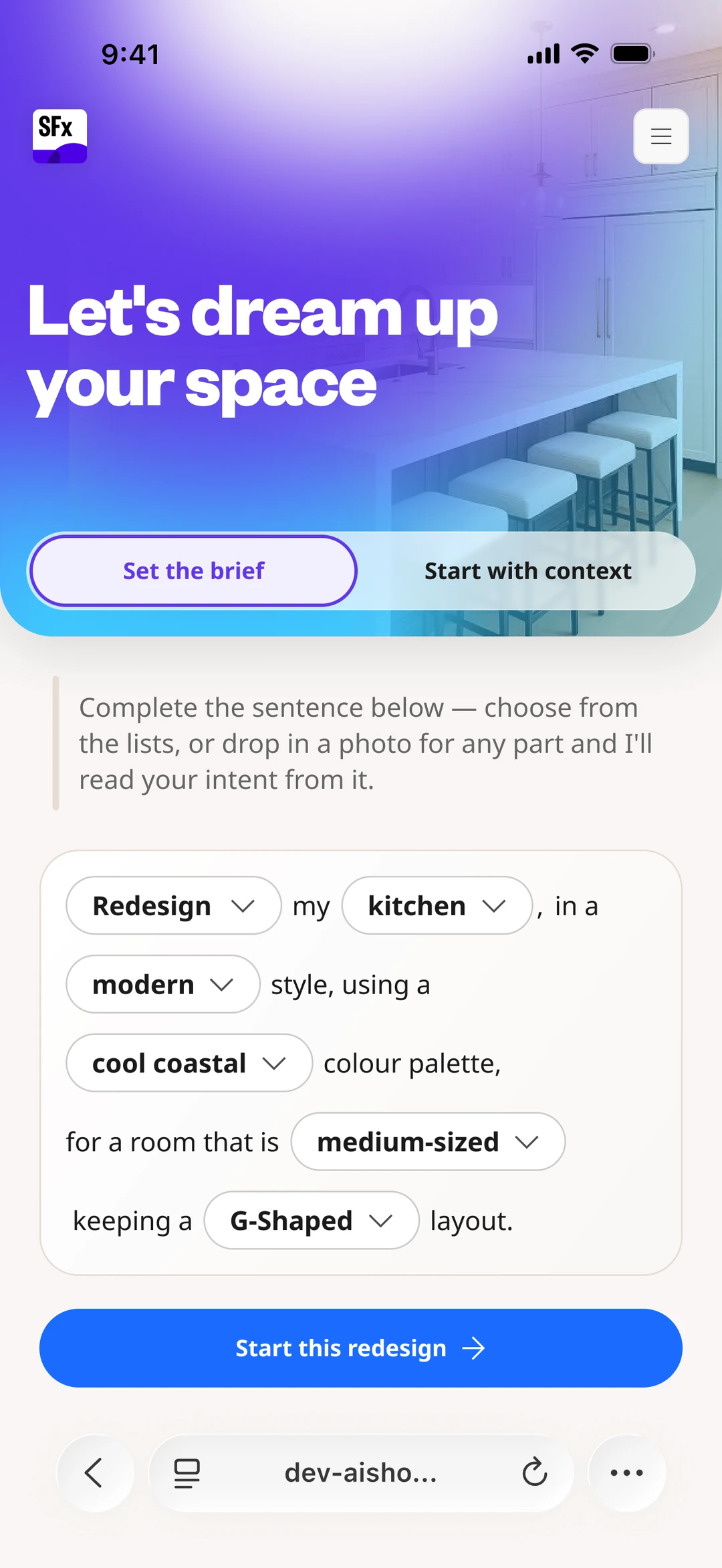
The real entry point: intent as an editable sentence, not a filter tree.
03The journey, explorable
From a sentence to something tangible — select a stage to see the real screen and the decision behind it.
People know their idea in words, not catalog taxonomy. A guided, editable sentence captures intent — and each phrase resolves to a real, selectable choice, so the start is natural but unambiguous.
From a sentence to something tangible — every stage grounded in the real catalog, shipped as part of Cyncly's Spaces Flex platform.
Story A — Natural-language input
Start by describing it, not filtering for it.
The entry point lets people express intent in their own words. The guided sentence keeps that input grounded — each phrase is a real catalog choice — so natural language doesn't cost precision.
“Redesign my kitchen — modern style, cool coastal palette, medium-sized, G-shaped.”
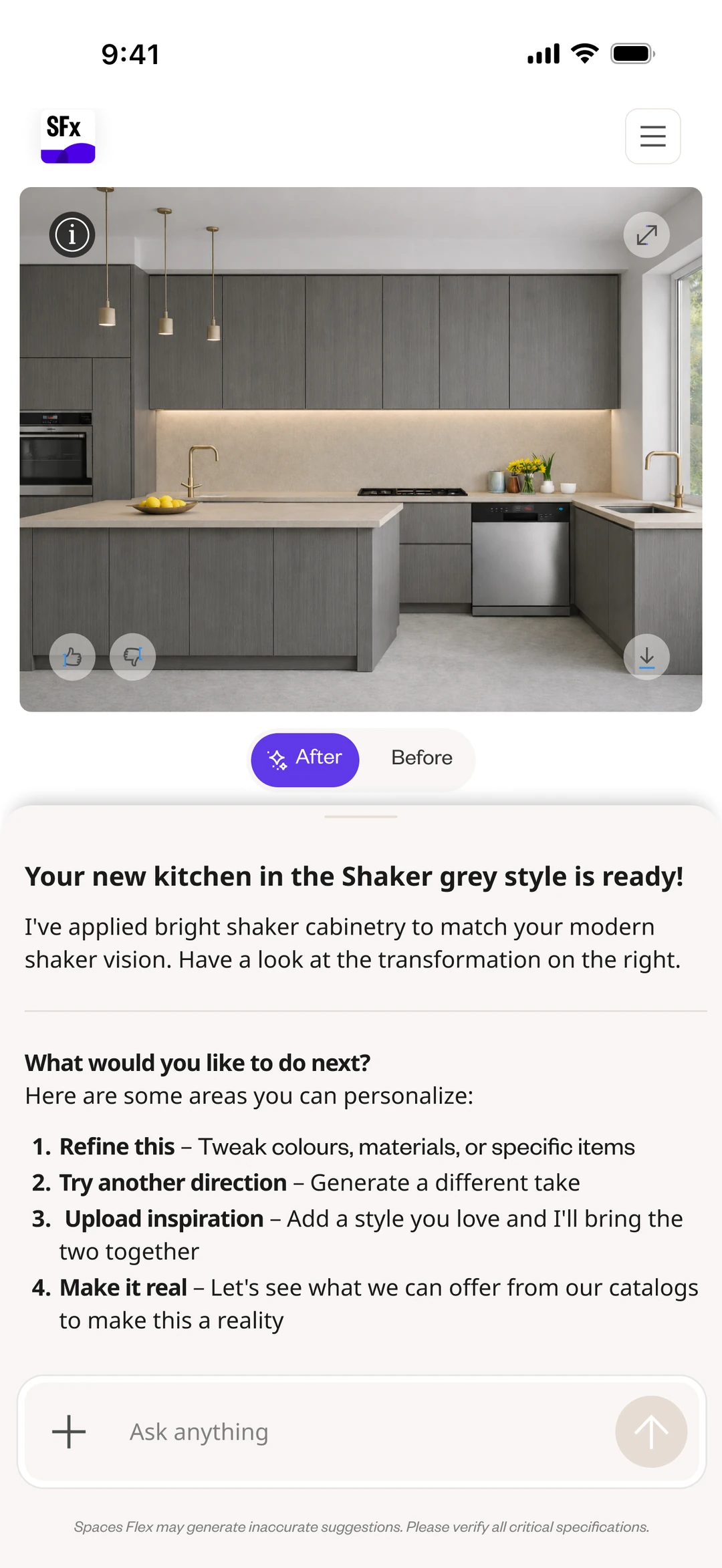
BConversation + visual results
The result isn't just an image — it's a decision point.
Conversation stays attached to tangible output. Select a marker to see how the result is made understandable and actionable, rather than appearing as unexplained AI output.
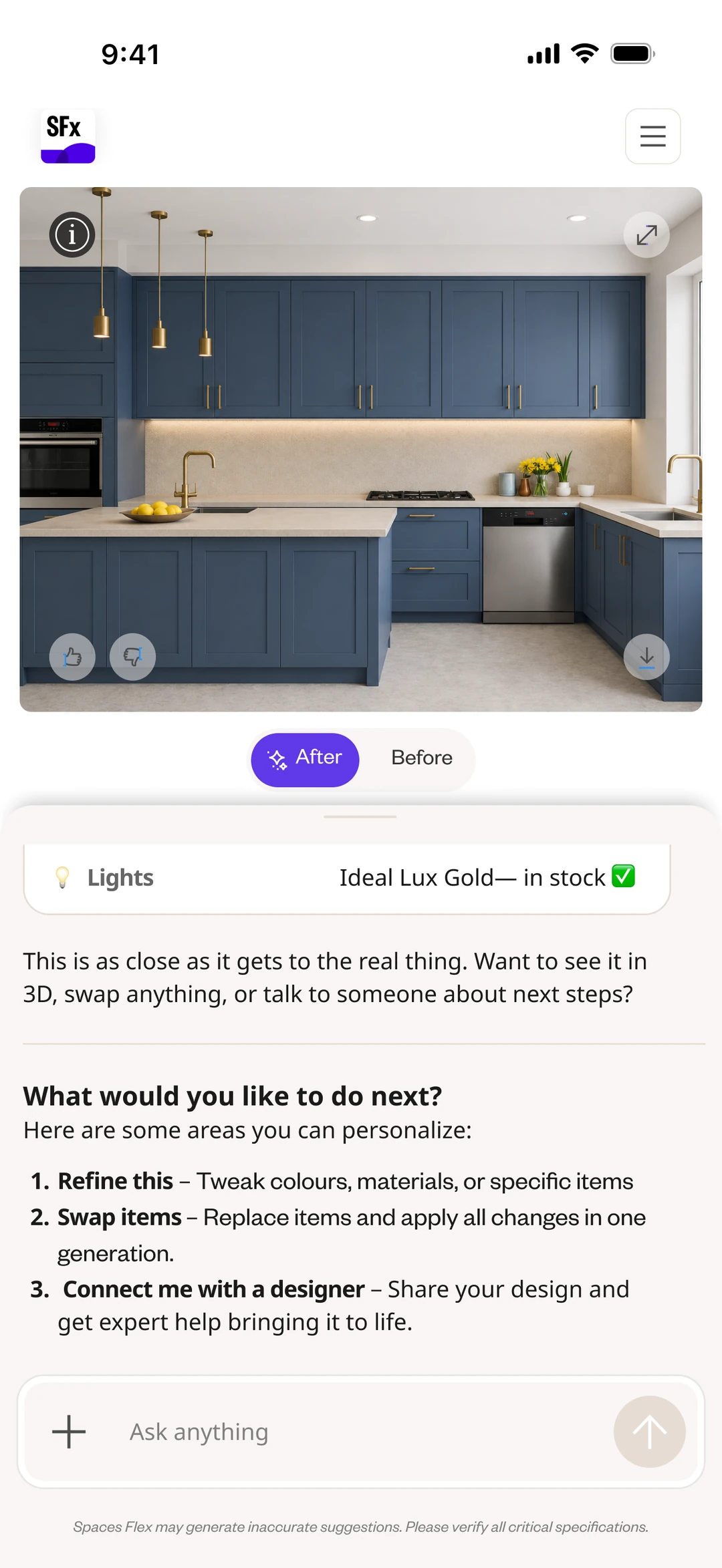
Story C — Refining the design
Selecting and applying, kept separate.
Refinement lets people change one element against the real catalog, then apply all changes in a single regeneration — so an expensive operation stays in their control. The design distinguishes choosing a change from applying it.
Toggle to compare the swap-and-refine state with the resolved, in-stock result.

Before: every element is selectable and swappable. After: the design is resolved to real, in-stock products.
DThe flow, end to end
Every screen, in-hand — scroll the whole journey, from blank space to 3D.
One grounded choice at a time: open Leap from a photo or a sentence, work through style, palette, layout, size and inspiration, and generate — then refine against the real catalog and step into the design in 3D.
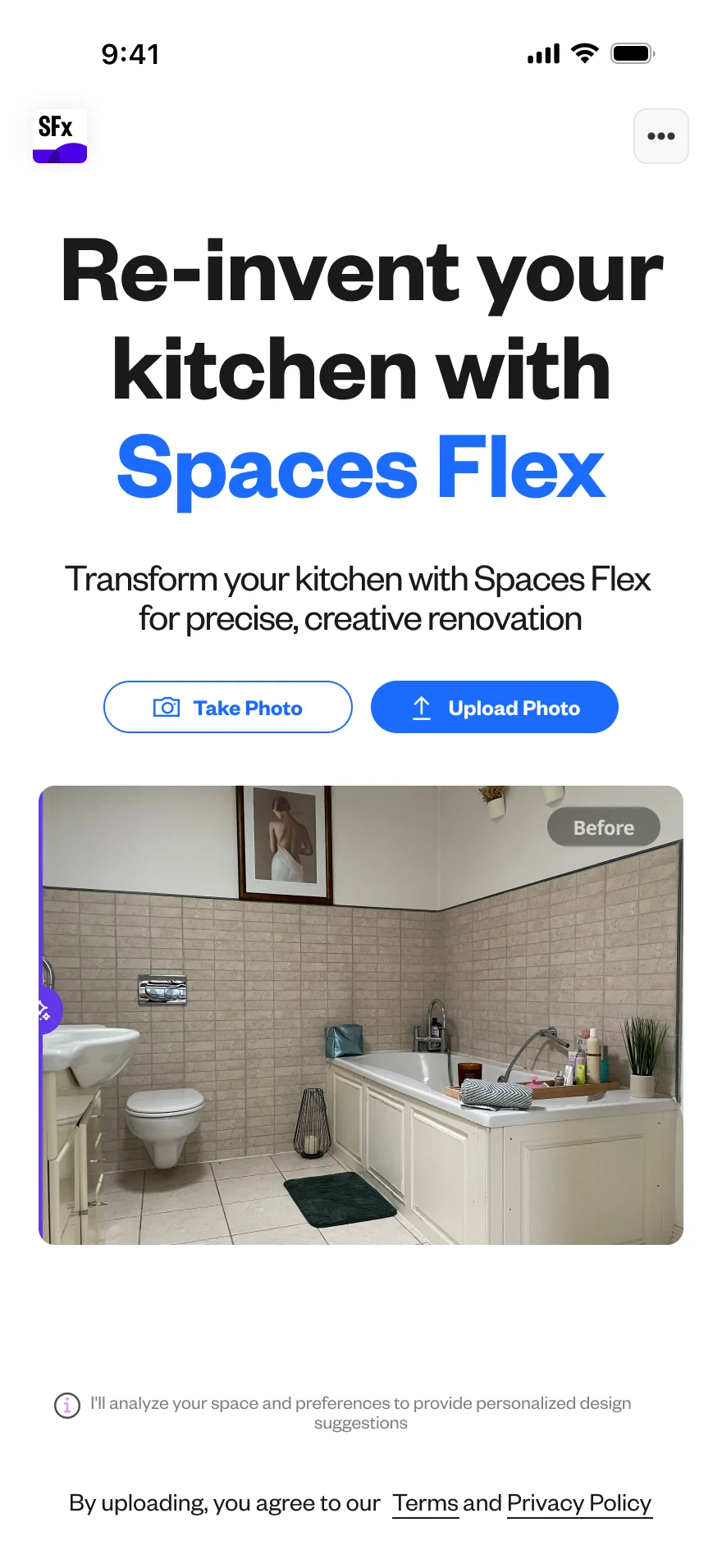
01 — Open Leap — snap or upload a photo of the room, or just describe it.
02 — A guided sentence captures the brief in plain language.

03 — Or write a free-form prompt — describe the look in your own words.
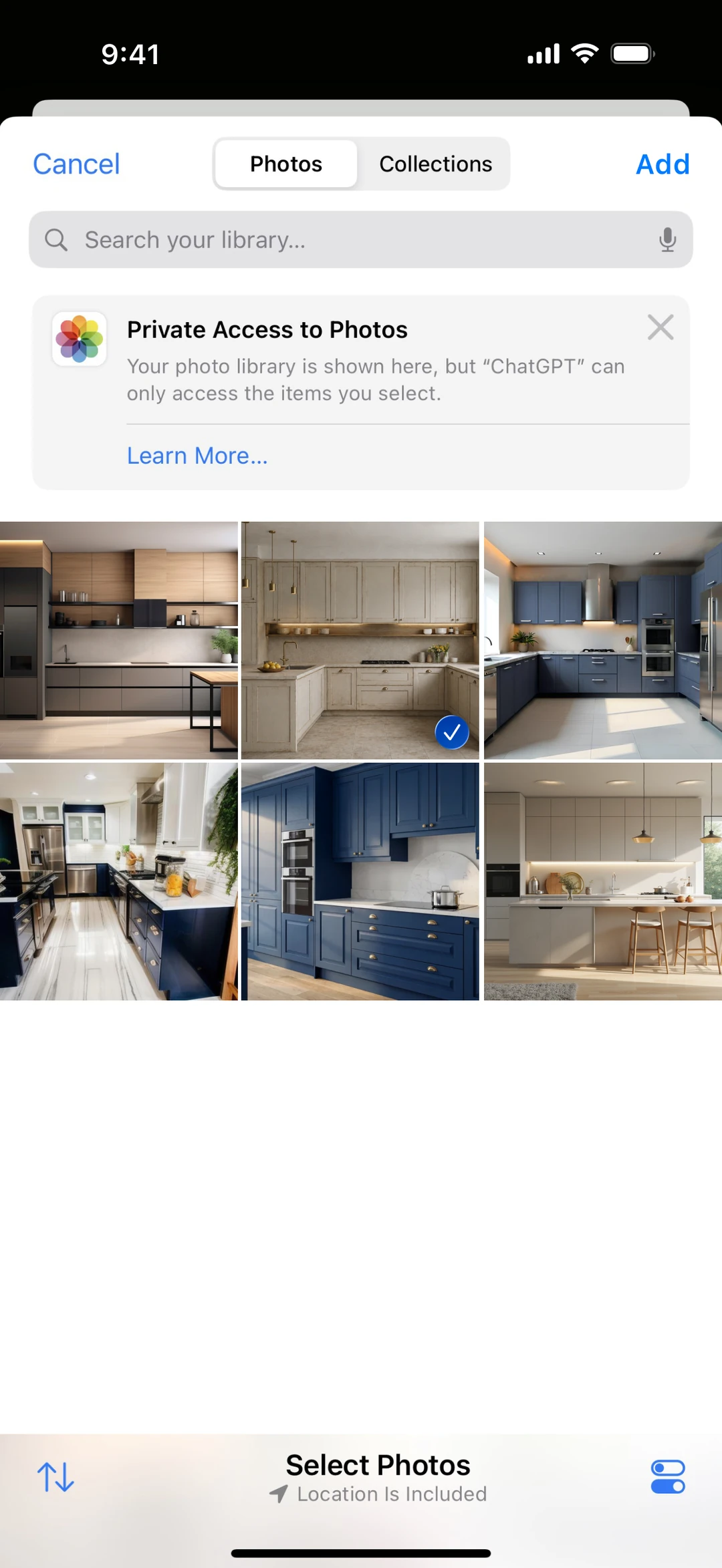
04 — Starting from a photo — pick the real room from the library.
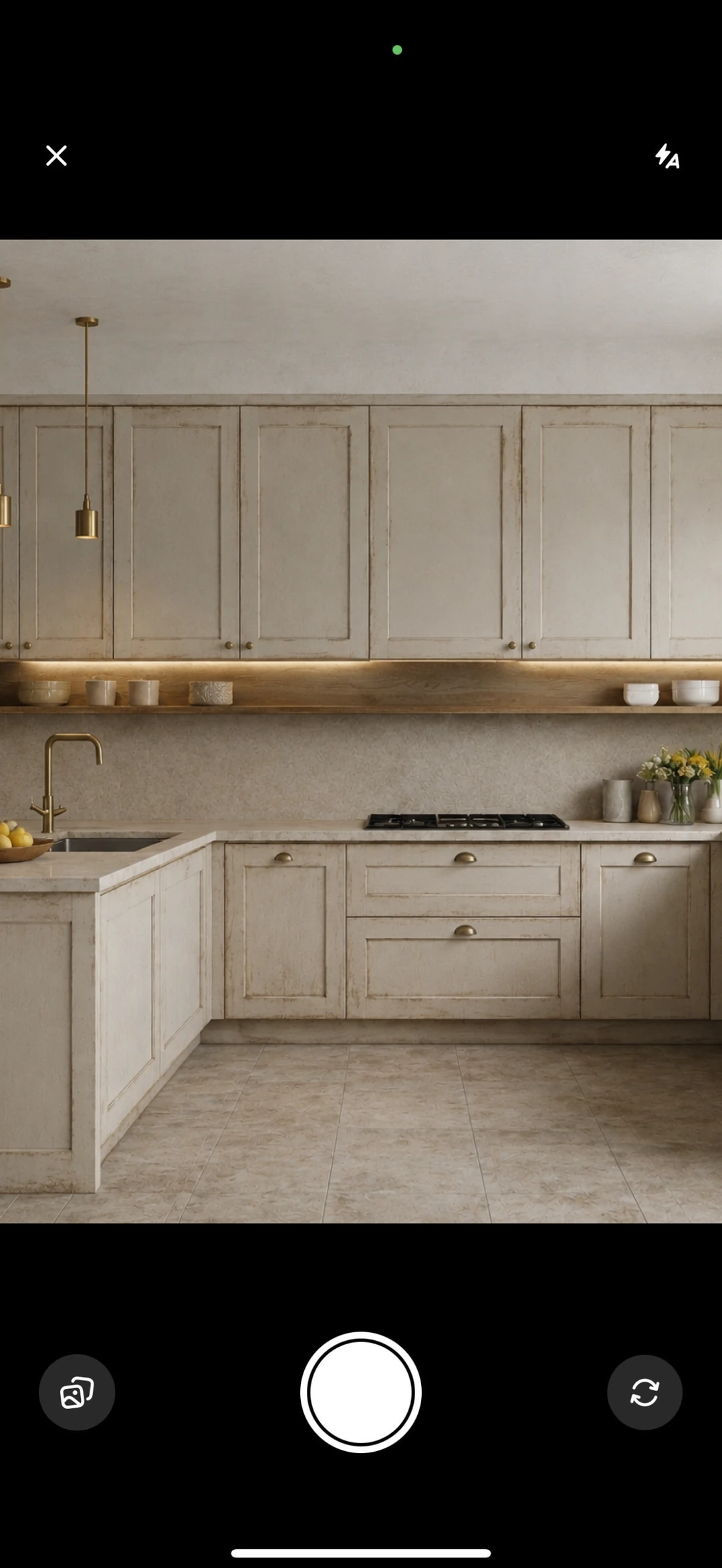
05 — …or take a photo of the space on the spot.
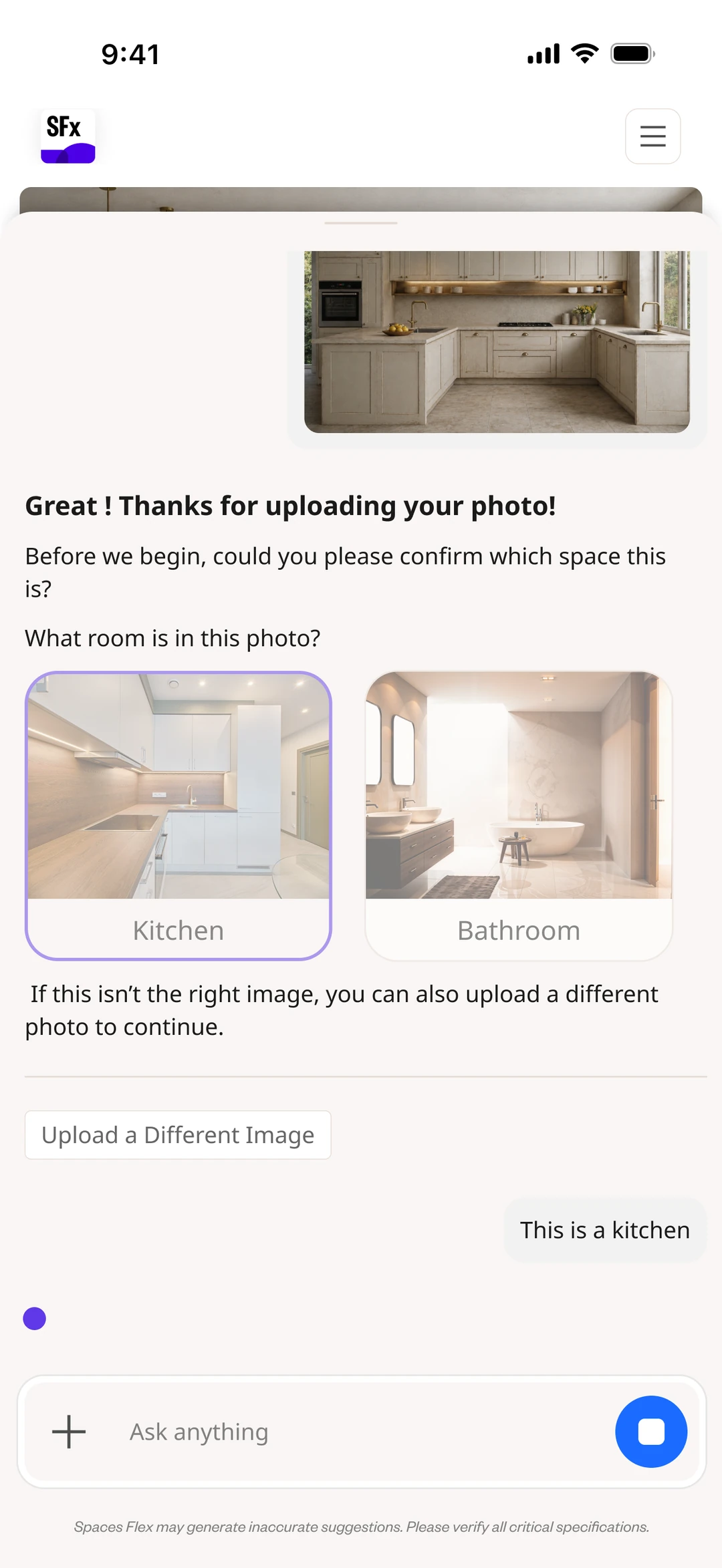
06 — The AI confirms what it sees — kitchen or bathroom.
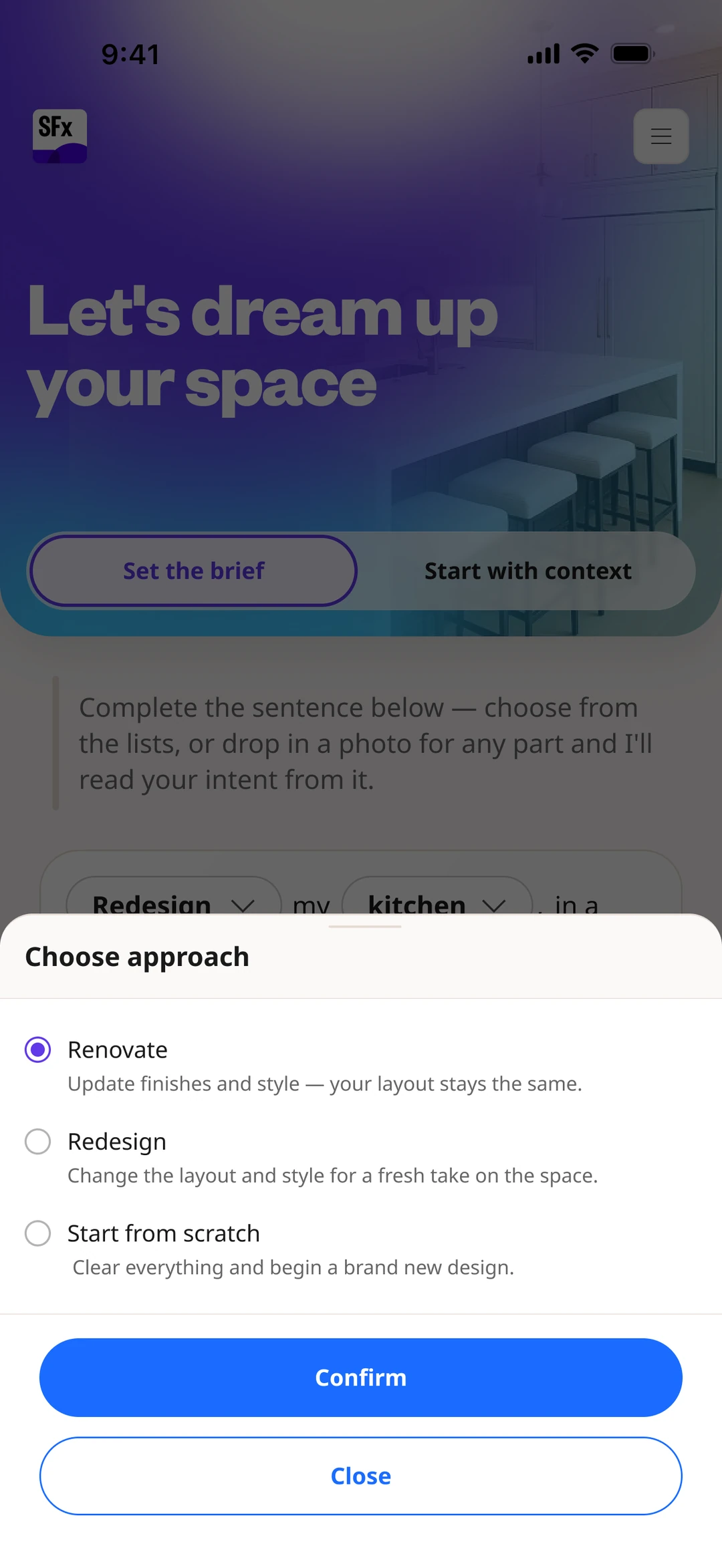
07 — Frame the job — renovate, redesign, or start from scratch.

08 — Style — a visual pick, or upload a reference photo.

09 — Colour palette — real, named material directions.
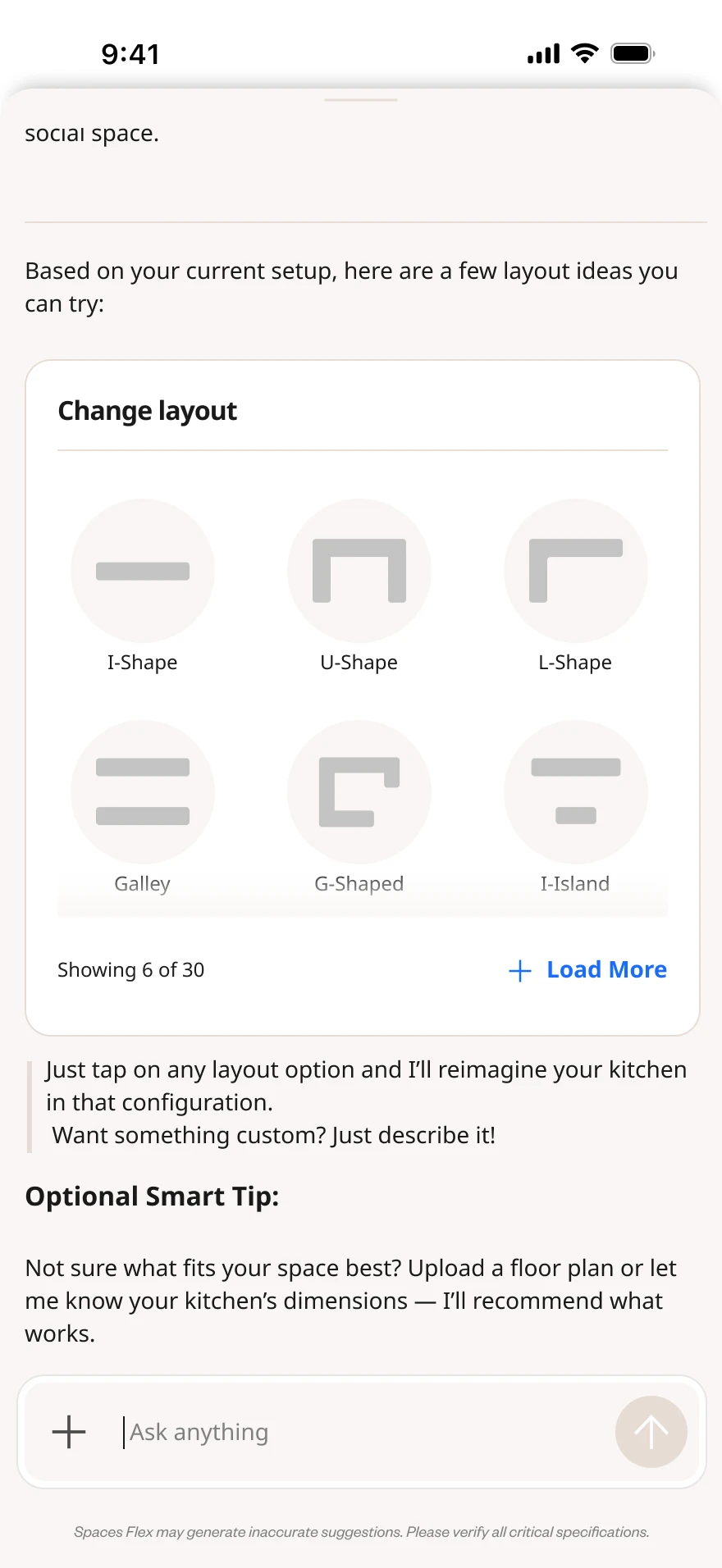
10 — Layout — pick the shape, from I-shape to island.

11 — Room size — sensible, approximate ranges.
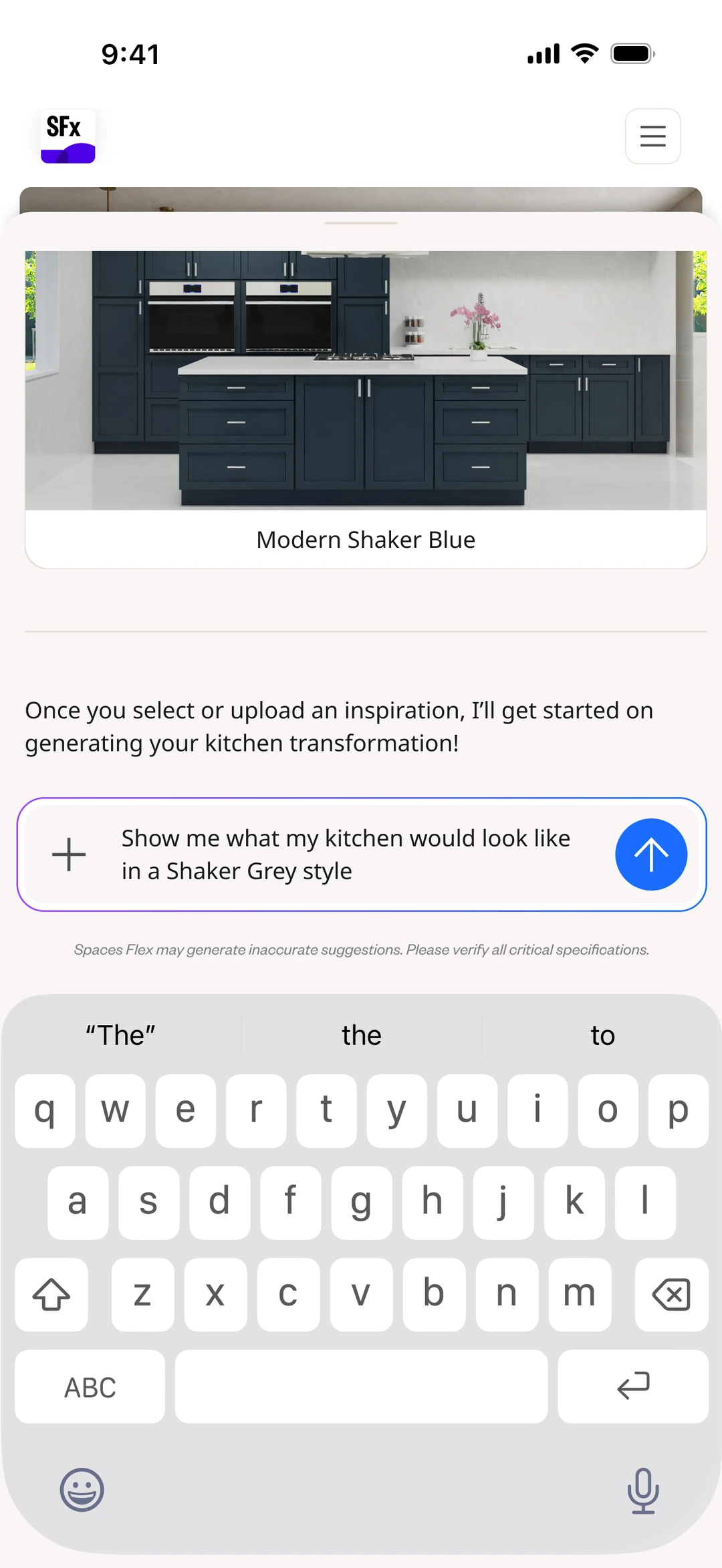
12 — Inspiration — pick a named style direction to generate from.
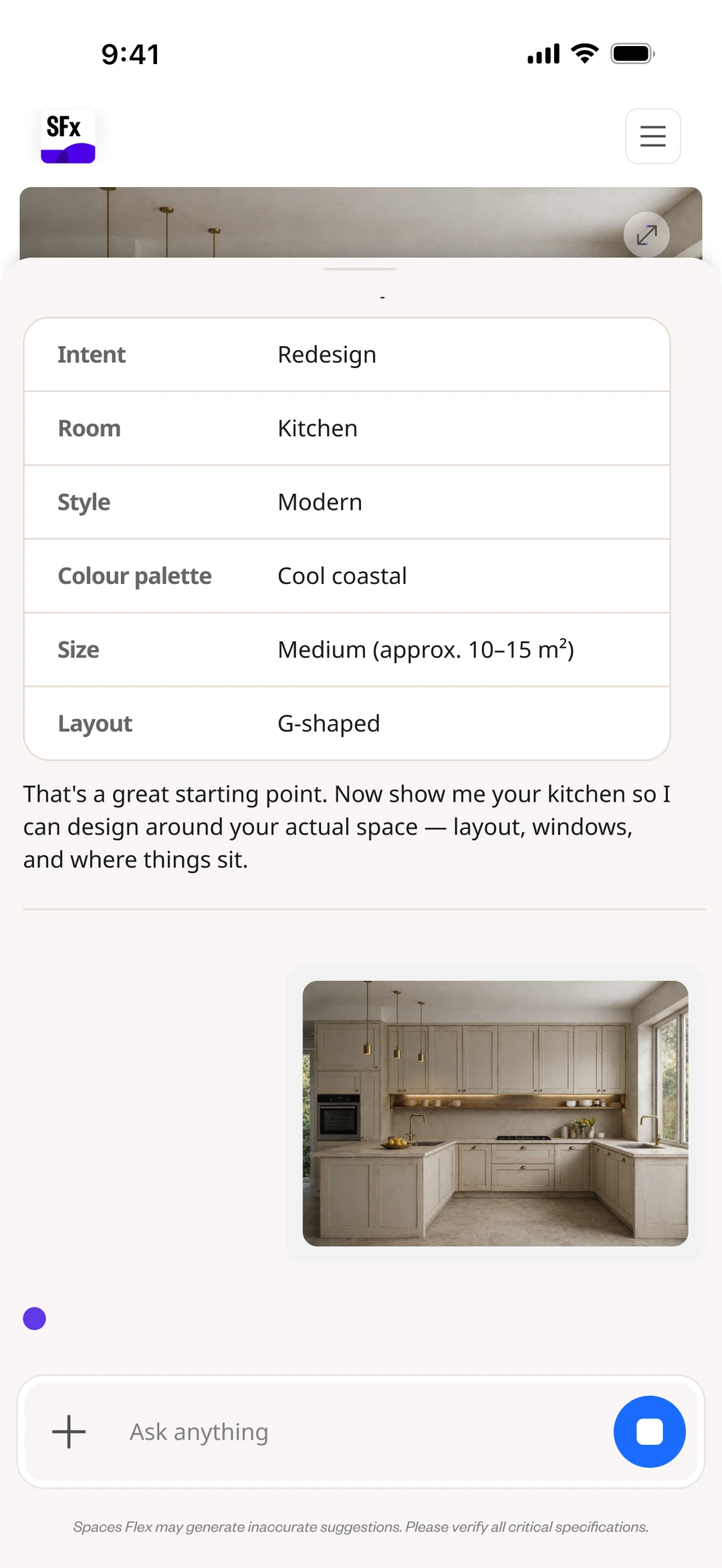
13 — Reflected back — confirm or correct what the AI understood.
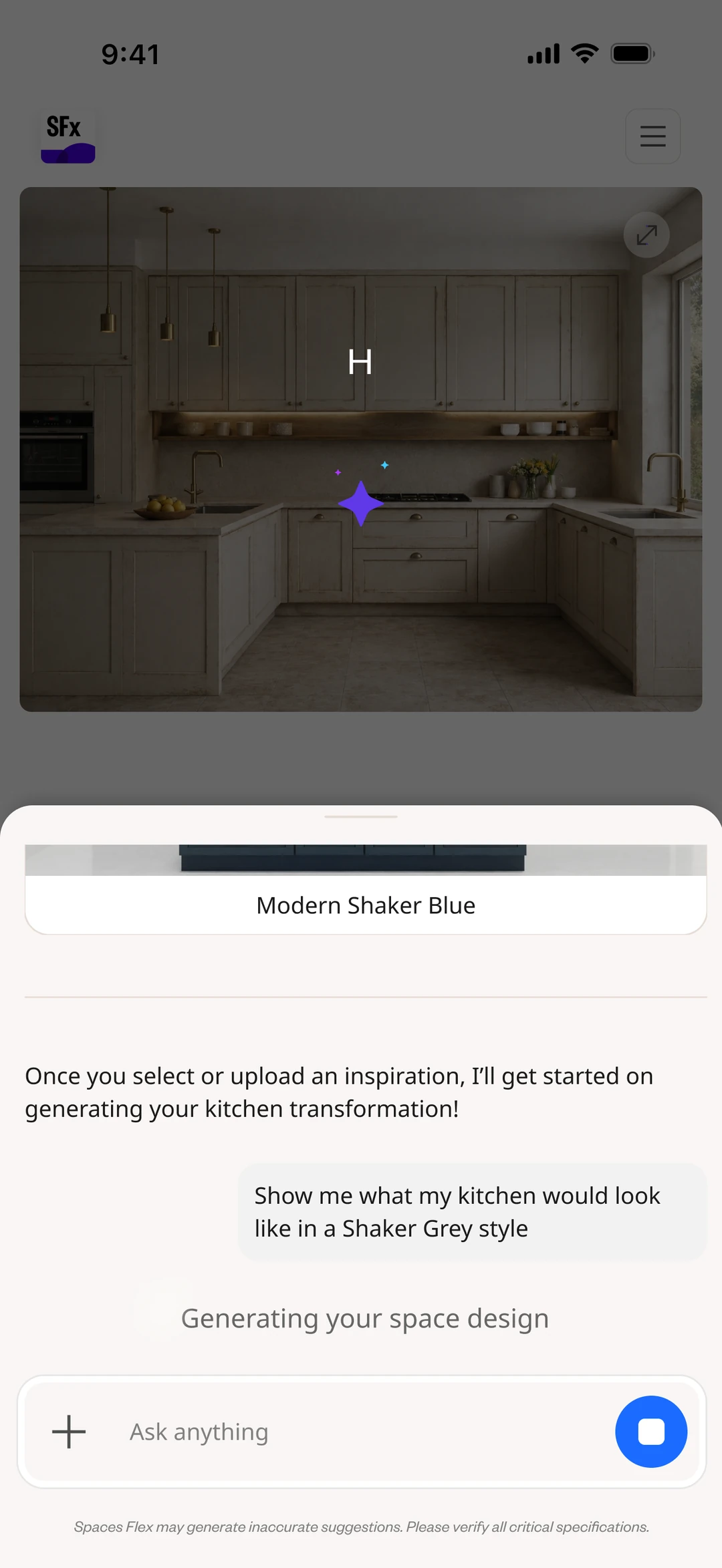
14 — Generation happens in-conversation, with a clear progress state.
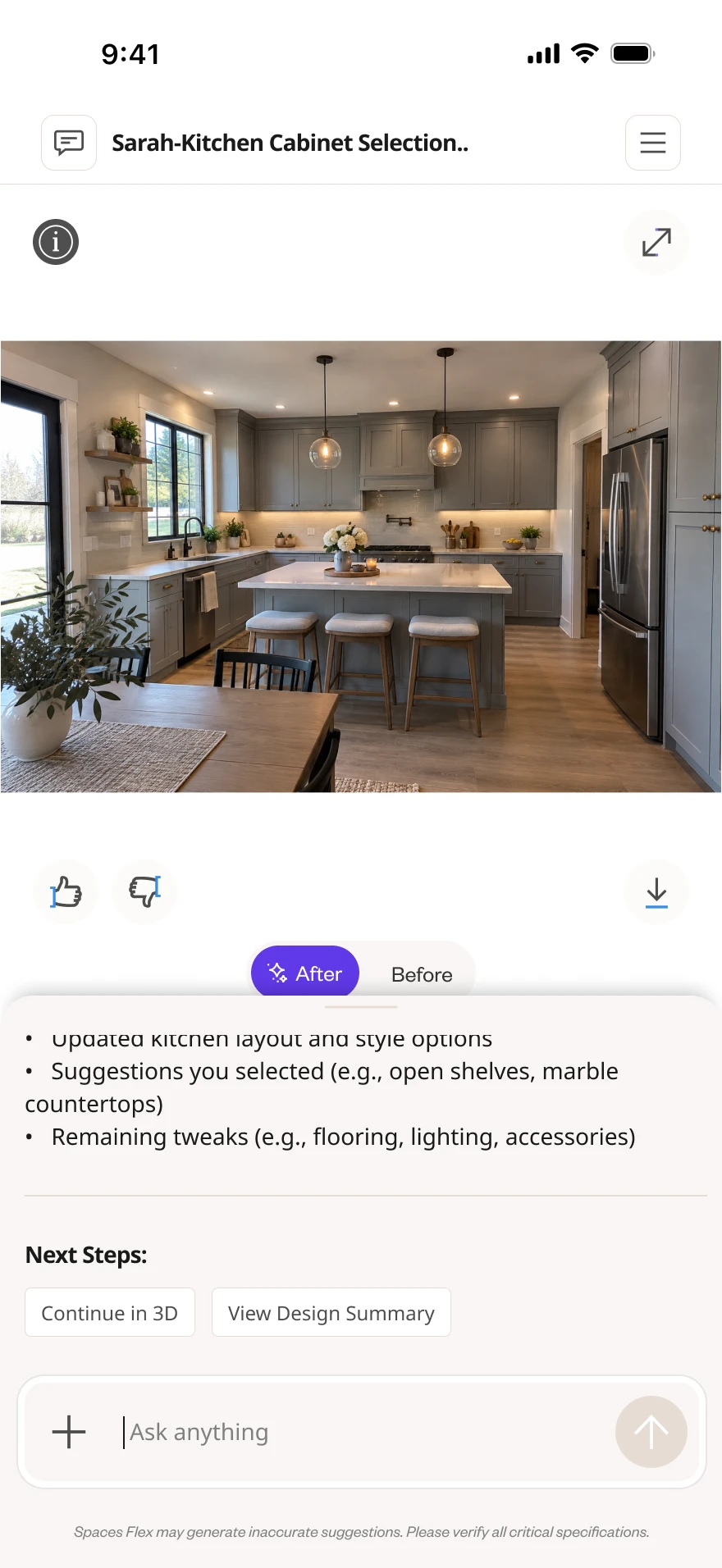
15 — The generated space — Before/After, and a clear next step.
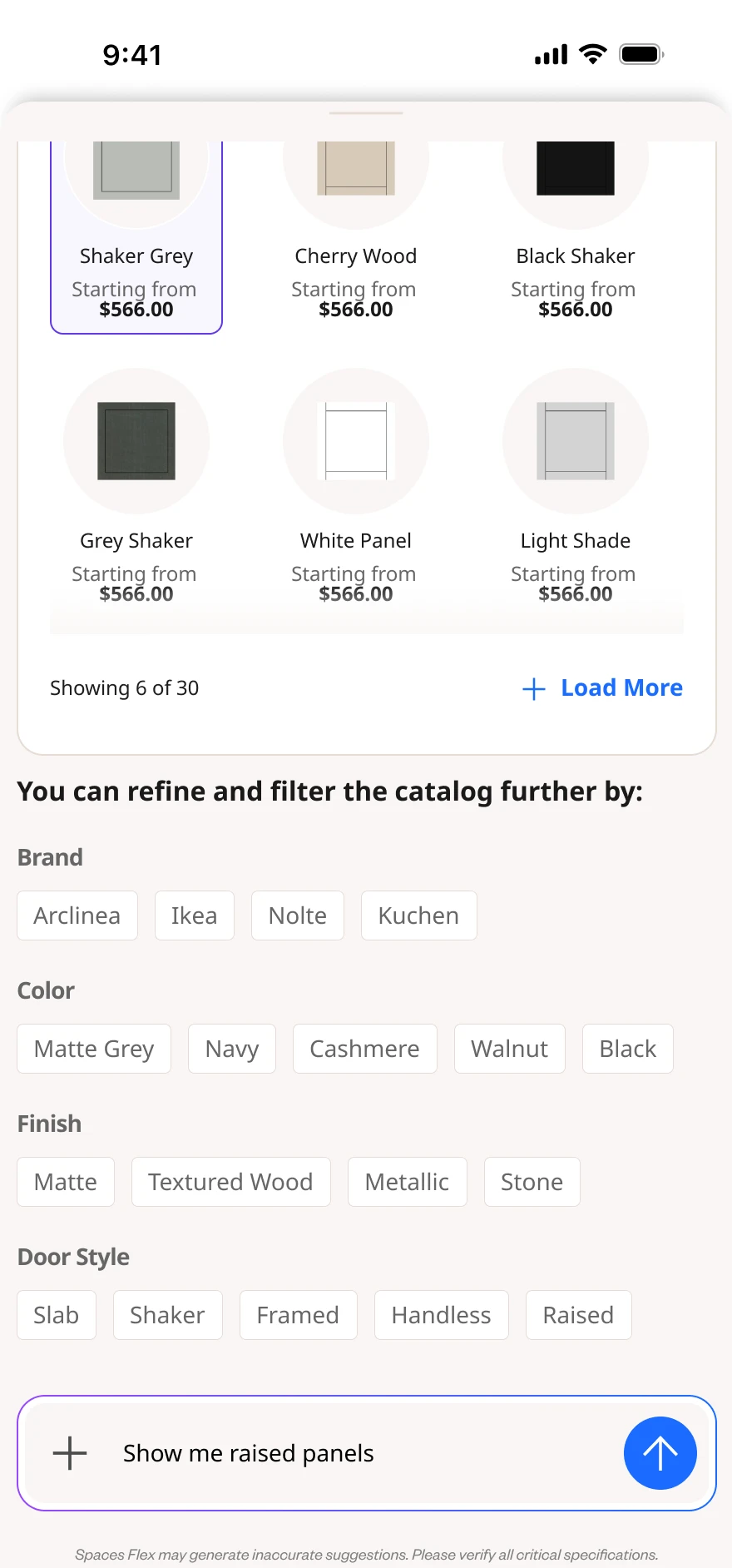
16 — Refine against the real catalog — brand, colour, finish, door style.

17 — Step into it — the design, continued in 3D.
ESupporting product states
Out of inspiration, into something real — the states that make it trustworthy.
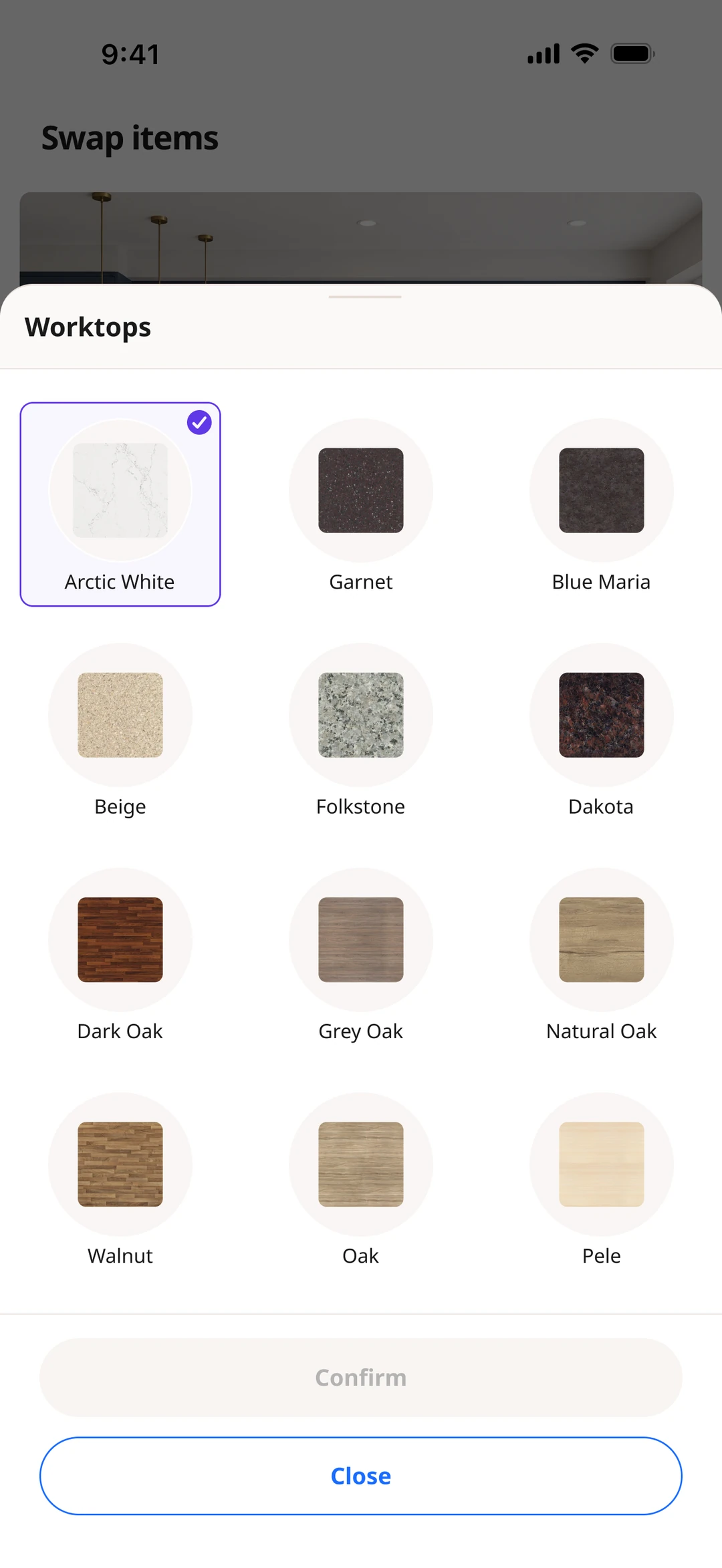
Finish selection
In-stock product matches
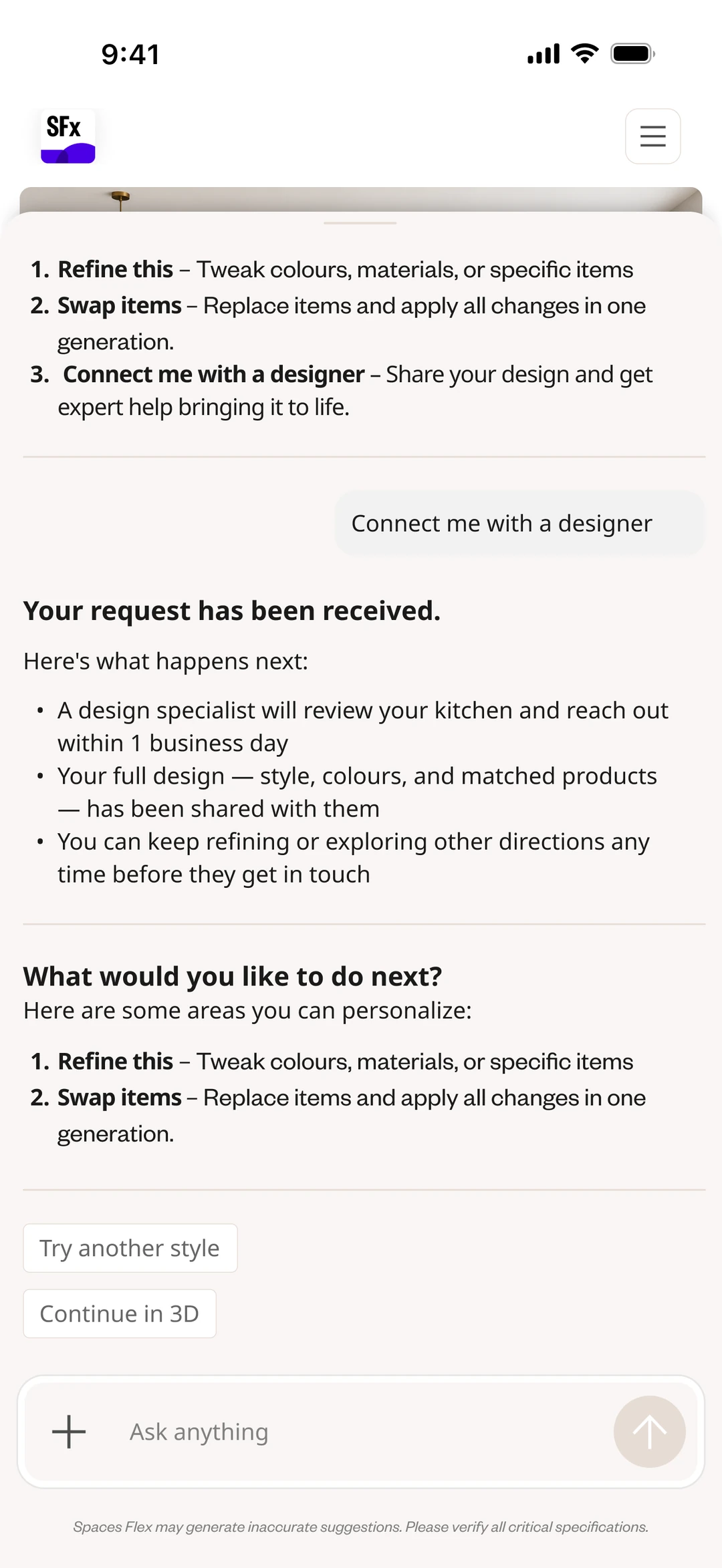
Continue into 3D

Connect with a designer
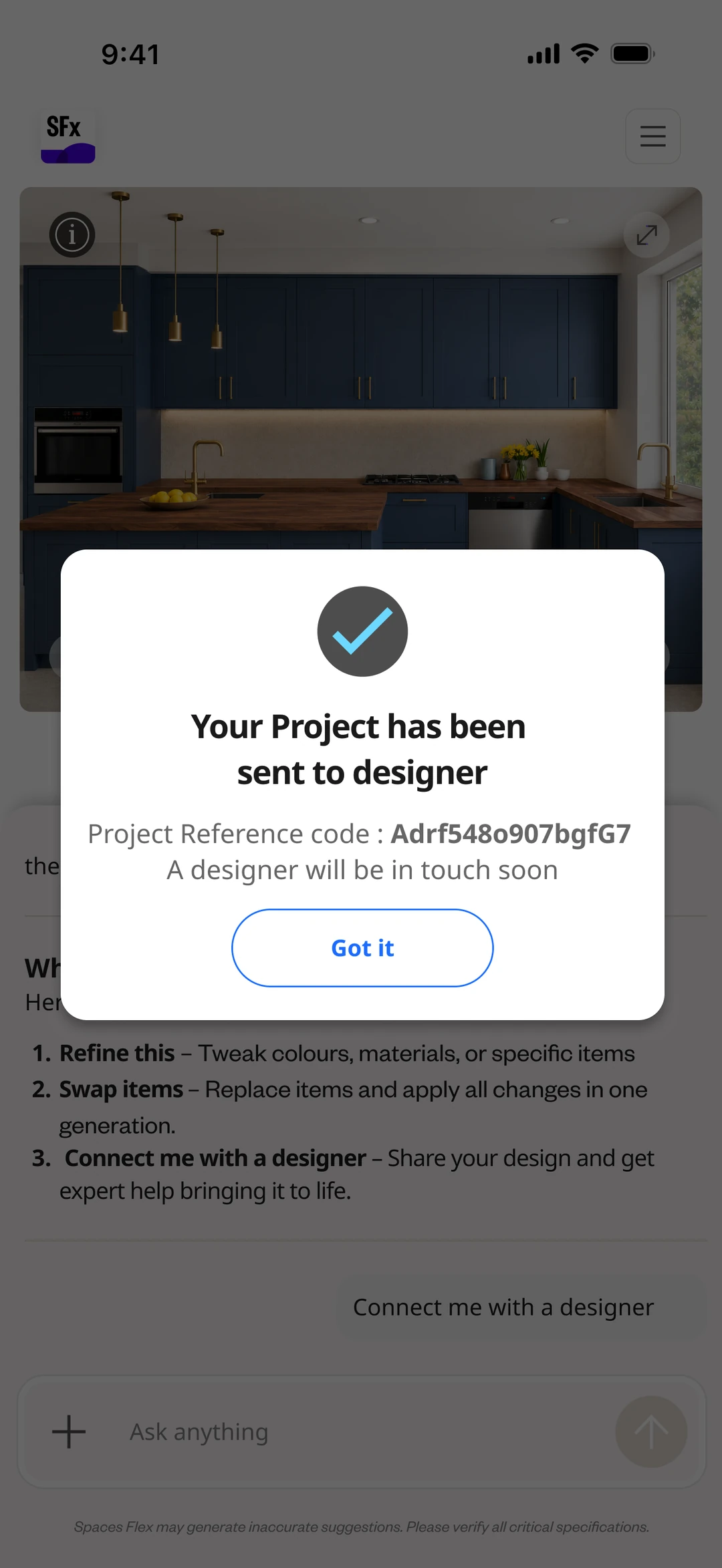
Sent — with a reference code
Story F — The render economy
Every generation costs something — so the product says so.
Each render is real compute, so entitlements are part of the experience, not hidden plumbing. Anyone can try Leap anonymously with a small free allowance; creating an account and moving to a plan raises it. The quota stays visible — how many renders are left, and when it resets — and a running-low state warns before people hit the wall, not after.
When the allowance runs out, the next move is honest and useful — sign in, upgrade, or book time with a designer — never a dead stop.
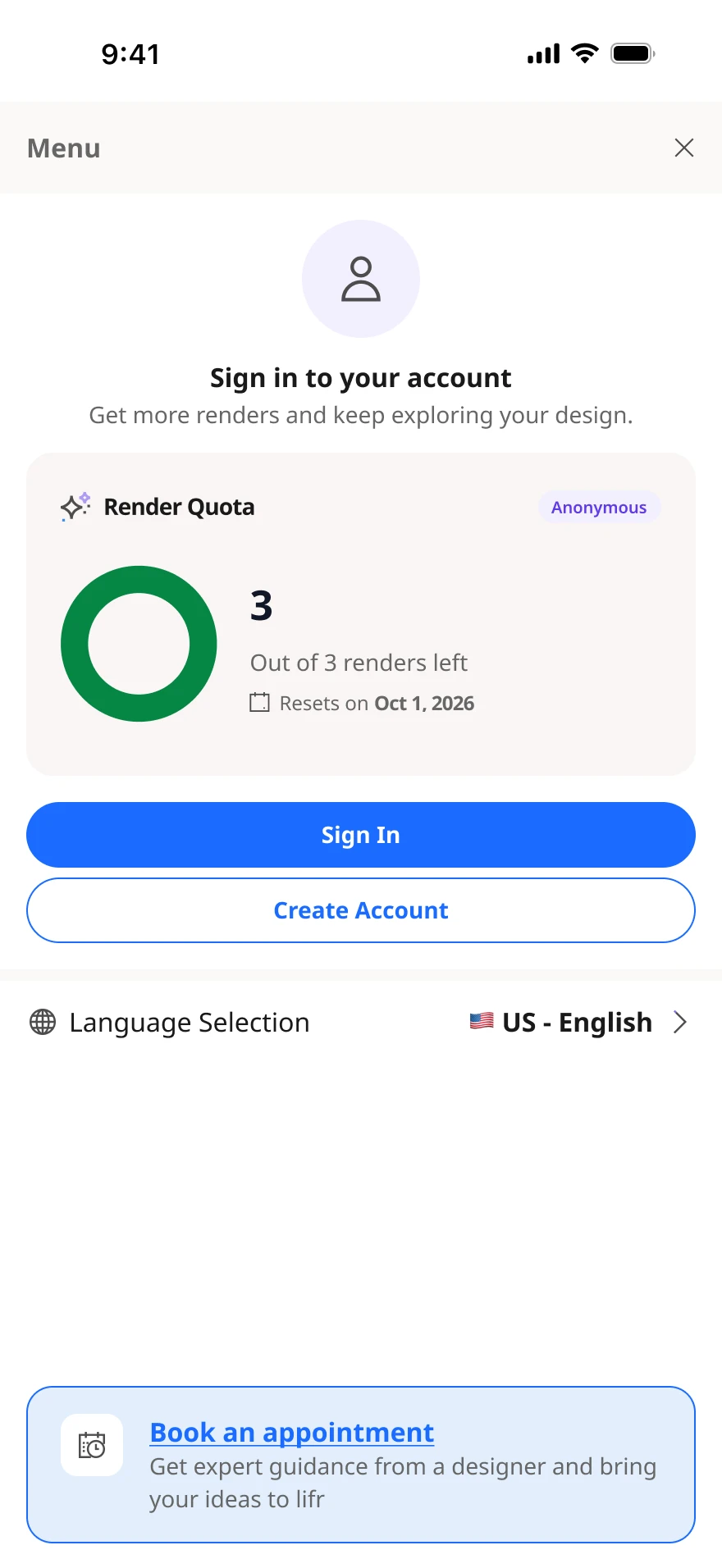
AnonymousTry it free — 3 renders, then a nudge to create an account.

Pro planSigned in — a monthly allowance, with a “running low” warning.
GRegion & language
A real catalog is local — so the experience speaks the right language, in the right market.
Leap runs across markets, so people choose a region and a language. The choice changes the interface and the conversation — behind a clear confirm when switching mid-flow — while saved designs and prices stay exactly as they were.

Region — sets the local market and catalog.
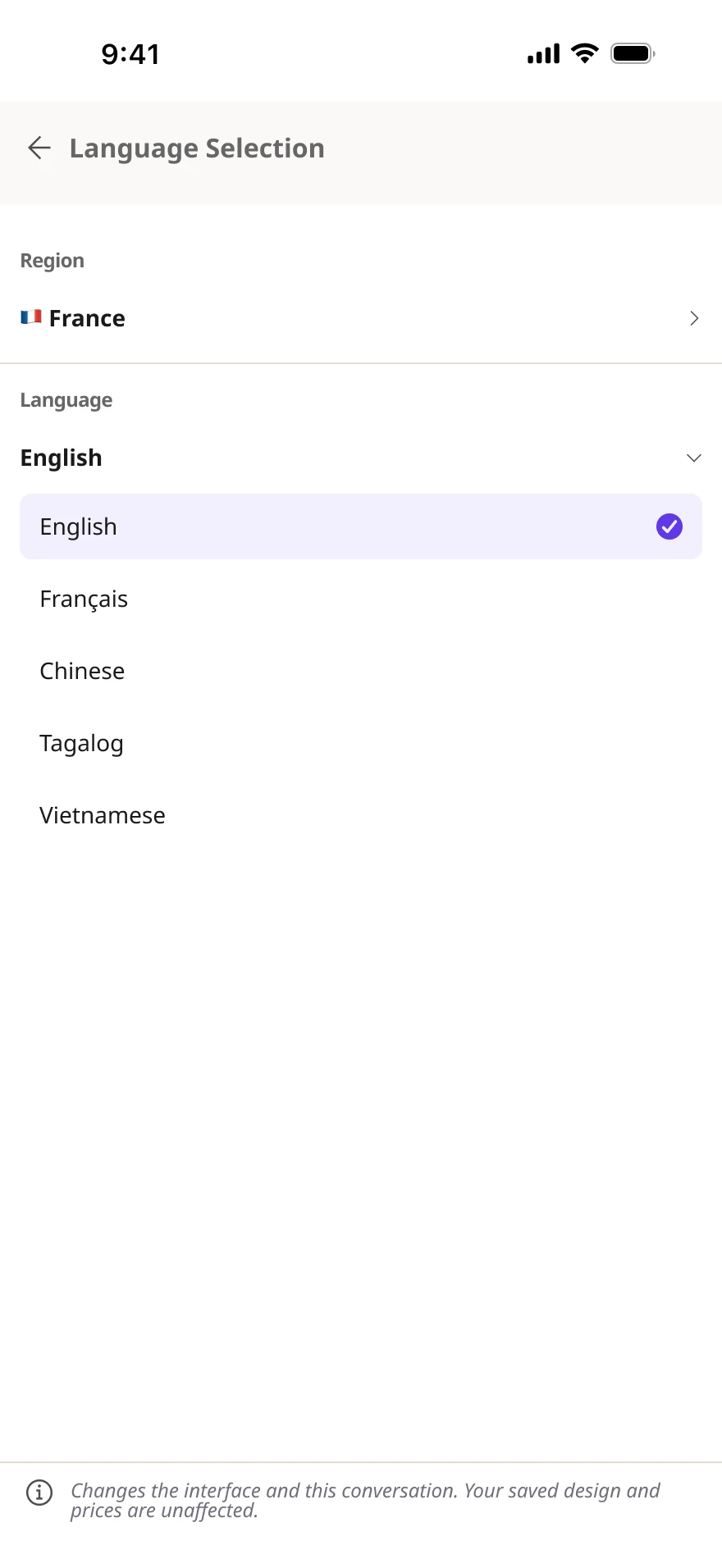
Language — the interface and the conversation.

A confirm step — switching mid-flow is deliberate, not accidental.
HA home for every conversation
Design is a back-and-forth — so each conversation is saved, named, and easy to return to.
A project rarely finishes in one sitting. Conversations are organised like a real workspace — named by customer and topic (“Sarah – Kitchen Cabinet Selection”), pinned or recent — with destructive actions behind a confirm, and a sign-in gate so the work is there to come back to.
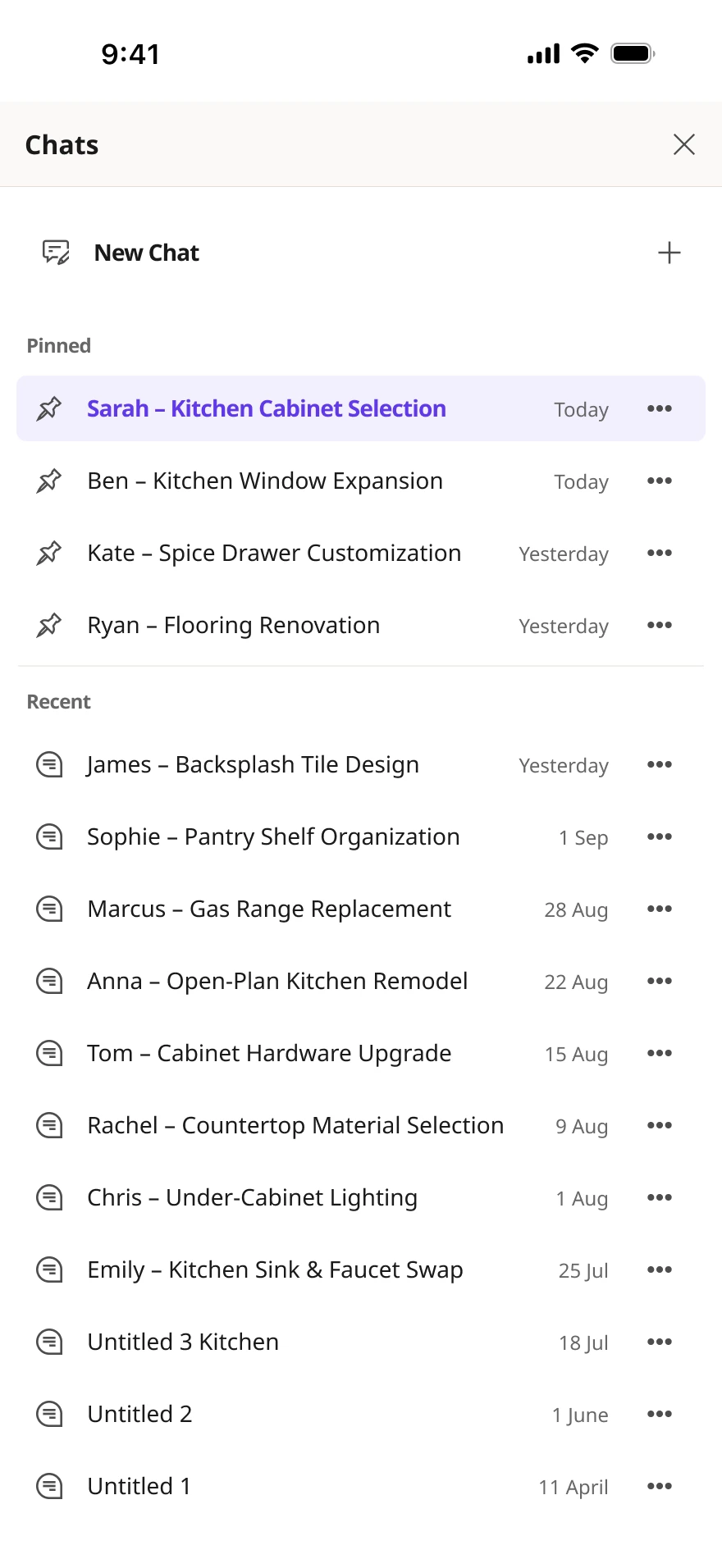
Every conversation, named by customer and topic — pinned or recent.
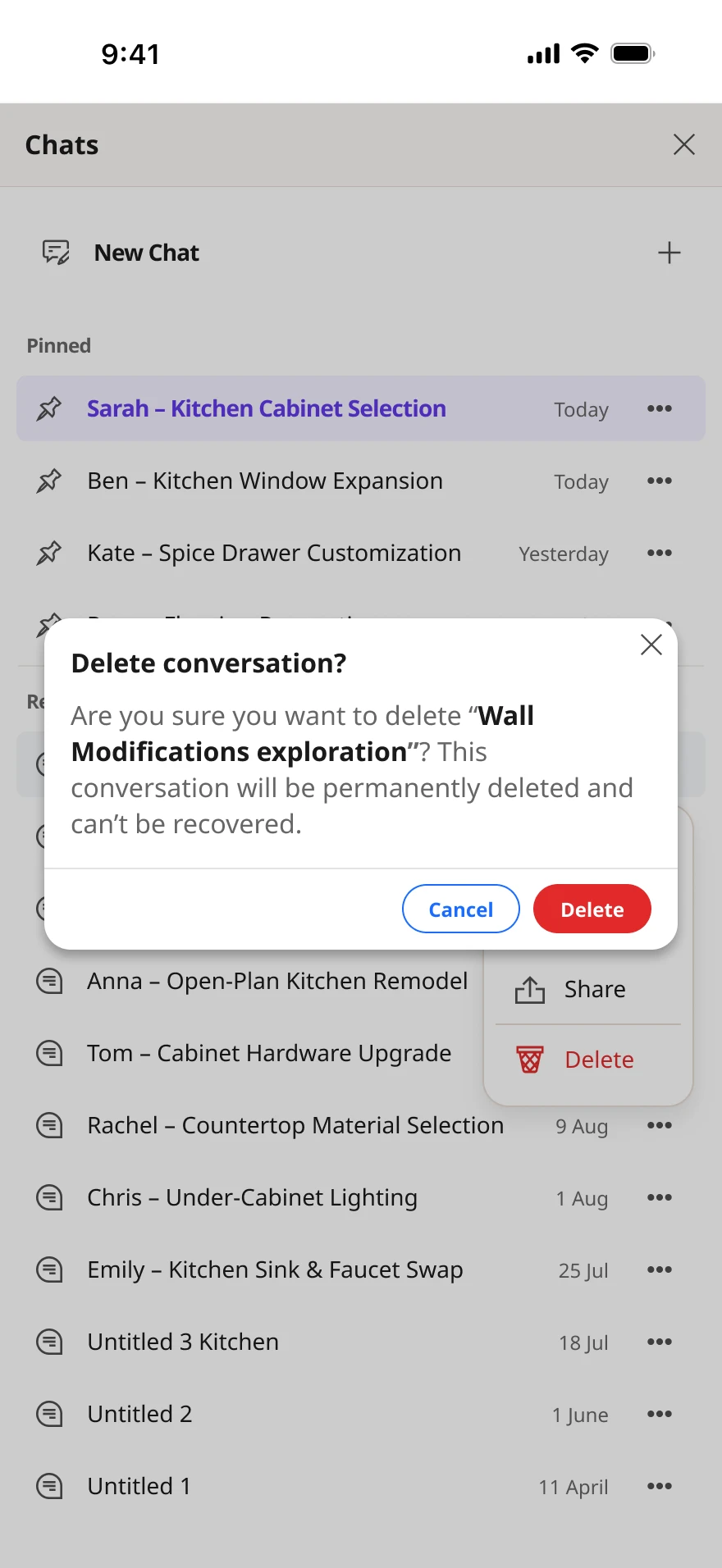
Destructive actions confirm first — a delete can't be undone.

A sign-in gate, so the work is saved and easy to return to.
Constraints & status
- It's a layer on an existing visual product — conversation has to orchestrate the real design tools, not replace them with a wall of text.
- Every suggestion must be grounded in the real catalog: selectable, specifiable, and in stock — not just plausible-sounding.
- The mobile viewport has to hold conversation, product results and visual refinement together without overwhelming the screen.
- Design intent evolves as people see options — refinement has to work without restarting the journey.
- The experience has to bridge from 2D inspiration toward 3D or a designer, preserving context across the hand-off.
Shipped at scale
Leap is a shipped product used by 200+ companies, part of Cyncly's Spaces Flex platform — the global kitchen & interior-design software trusted by 70,000+ businesses worldwide, with client partners including Wickes, Symphony and Benchmarx.
In closing
What changed
- A conversational NLP entry point for Leap: describe a space in plain language and reach real inspiration and catalog products — no filter tree required.
- A staged mobile journey — discover, explore, refine, make it real — that keeps chat attached to the visual design tools rather than replacing them.
- Results that are understandable and actionable: a Before/After toggle to judge the output, and an explicit menu of next steps.
- A grounded “make it real” step that resolves inspiration to real, in-stock catalog products — then bridges into 3D (SFx) or a human designer.
What's still open
- The desktop version of this NLP experience is its own case study — the AI Showroom.
- Growing the moodboard and make-it-real steps as the catalog and 3D hand-off deepen.
What I learned
AI should make a design journey easier to navigate — not make the product harder to understand. On mobile, the win wasn't a chatbot; it was using conversation to summon the right visual tool at the right moment, keep every suggestion grounded in the real catalog, and always leave the person with a clear, controllable next step.
AI Showroom