The NLP Planner
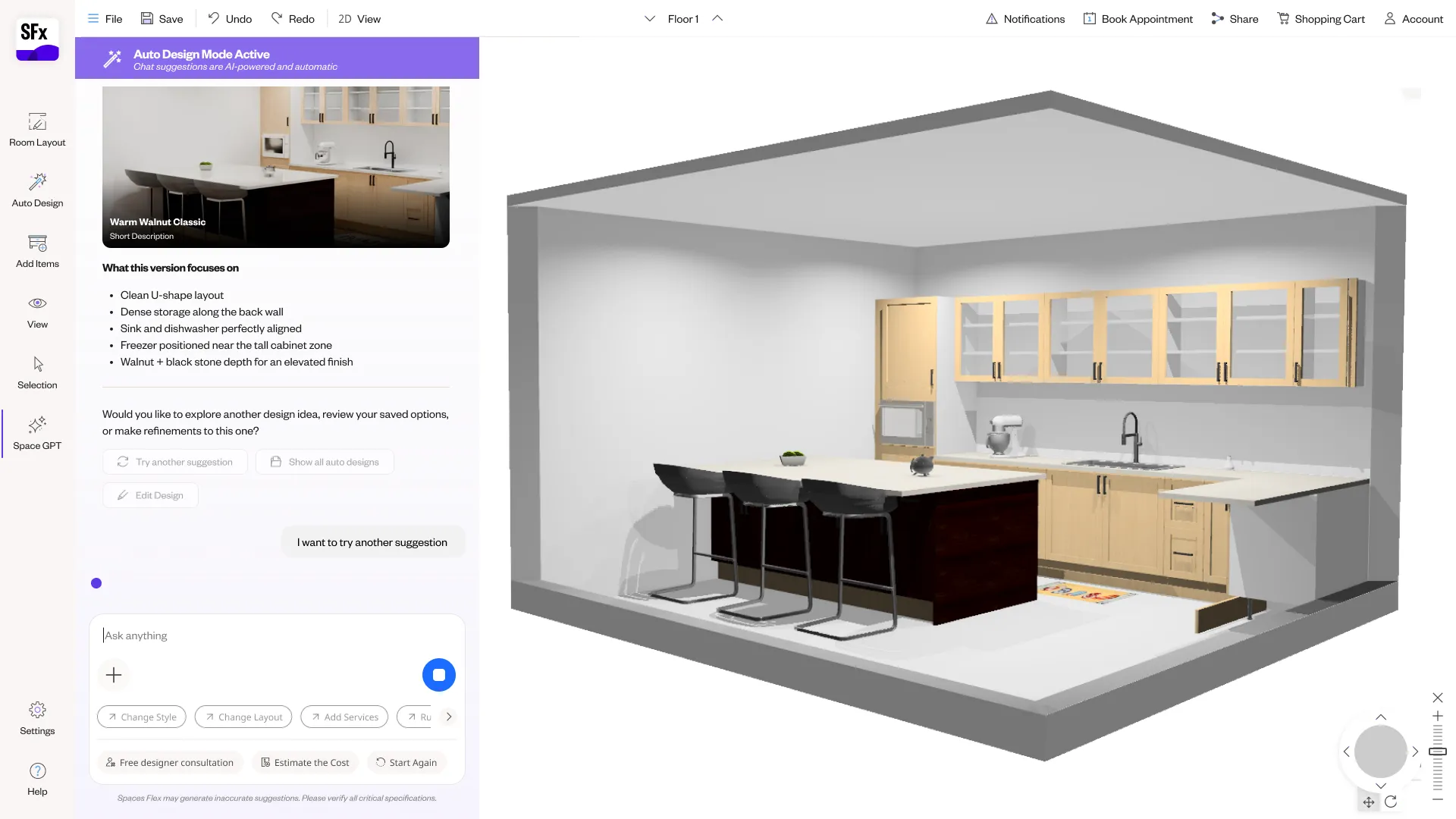
The conversation that started in Leap, brought into the main tool. Describe a room and watch it take shape in Spaces Flex — laid out as a floor plan, then designed in 3D, for kitchens and bathrooms.
- Product
- Spaces Flex (SFx)
- Cyncly's 3D planner
- Company
- Cyncly
- 70,000+ businesses worldwide
- Focus
- NLP · room layout · 3D design
- Status
- In development
Spaces Flex is a powerful 3D planner — but power usually means a steep start: define the room, draw walls, place every unit, set every material. Leap had already shown that people can begin with a sentence instead of a catalog. The challenge was to carry that conversational start all the way into the real planner — not a separate inspiration tool, but the actual 3D environment where the design is built and edited — without losing the precision the planner exists for.
This connects two things Cyncly already has: the Leap NLP experience and the Spaces Flex (SFx) 3D planner used across the industry. Built at Cyncly — the global kitchen, bath and interior-design software company trusted by 70,000+ businesses worldwide — the aim is to make the flagship planner approachable from the first sentence, so more people reach a real, buildable 3D design, faster, while professionals keep full control.
Constraints
- It has to live inside the real 3D planner — orchestrating its tools (room layout, placement, materials, 3D), not replacing them with chat.
- Conversation must produce precise, editable output: a real floor plan, real placed units, real catalog materials — not an approximation.
- The flow spans two modes — a top-down room layout and a 3D design view — and the conversation has to stay coherent across both.
- It should carry context from Leap's conversational start into the planner without a hard hand-off or a restart.
- It has to generalise beyond kitchens — bathrooms and other rooms follow the same conversational pattern.
From a sentence in Leap to the real planner
Leap showed that a design can start with words — describe a space, and the AI turns it into grounded inspiration. But inspiration isn't the finish line; the real work happens in Spaces Flex, Cyncly's 3D planner, where a kitchen or bathroom is actually laid out, designed and specified.
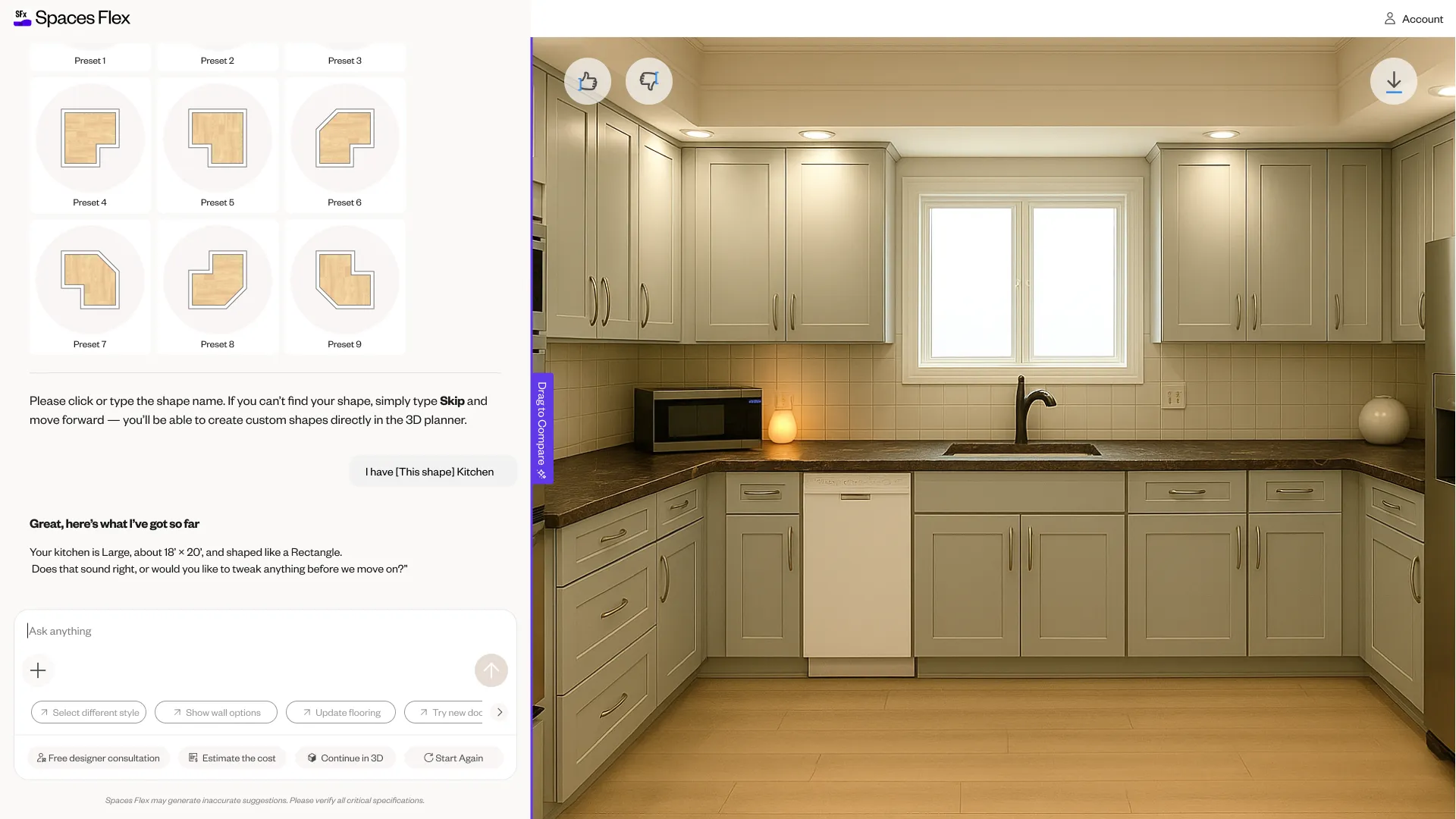
This project carries the conversation across that gap. The NLP doesn't hand you off to a different tool — it drives the planner itself: moving the design into 3D, laying out the room, placing units, and resolving materials, all from the same conversation that started it.
Put the conversation inside the tool, not beside it
A conversational layer can sit on top as a separate inspiration app, or it can drive the real planner. One is easy to build; the other is what actually helps.
Options weighed
- Keep NLP in a separate inspiration tool: simple, but it dead-ends — people still face the planner cold.
- Bolt a chatbot onto the planner UI: present, but disconnected from the planner's real actions.
- Let the conversation orchestrate the planner's own tools — layout, placement, materials, 3D.
Decision
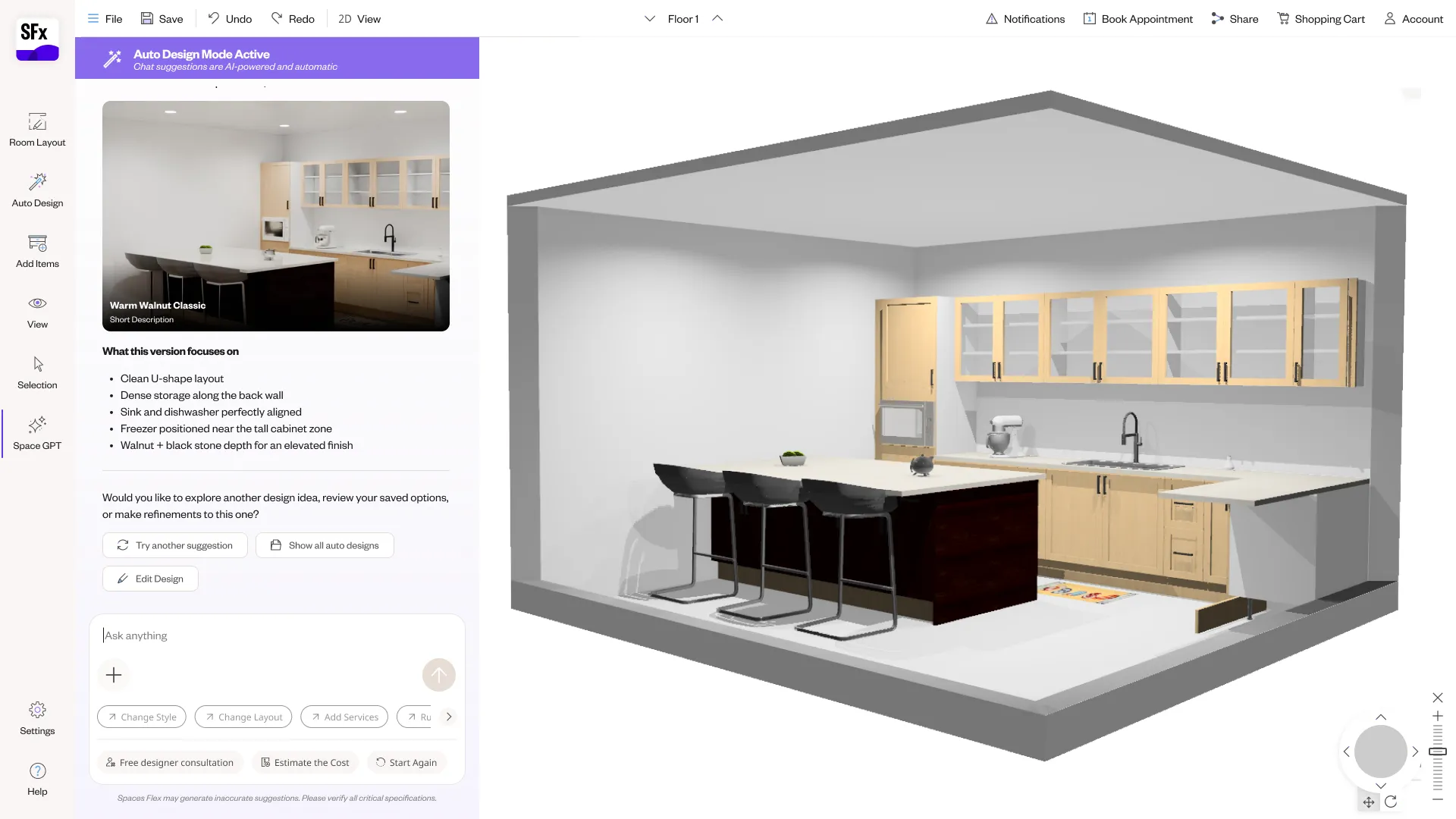
The NLP **operates the planner**: it lays out the room, places cabinets and appliances, applies materials and moves between the 2D layout and the 3D view — so the conversation and the professional tool are a single flow, not two products stitched together.
Trade-off — Far more to design and coordinate — every conversational step must map to a precise planner action — in exchange for a start that reaches a real, buildable 3D design instead of just a mood.
The flow, end to end
- 01
Move into 3D
Carry the design from Leap's flat inspiration into the Spaces Flex 3D environment.
- 02
Lay out the room
Describe the space; the AI builds the floor plan — shape, doorways and windows — on a top-down layout.
- 03
Place the elements
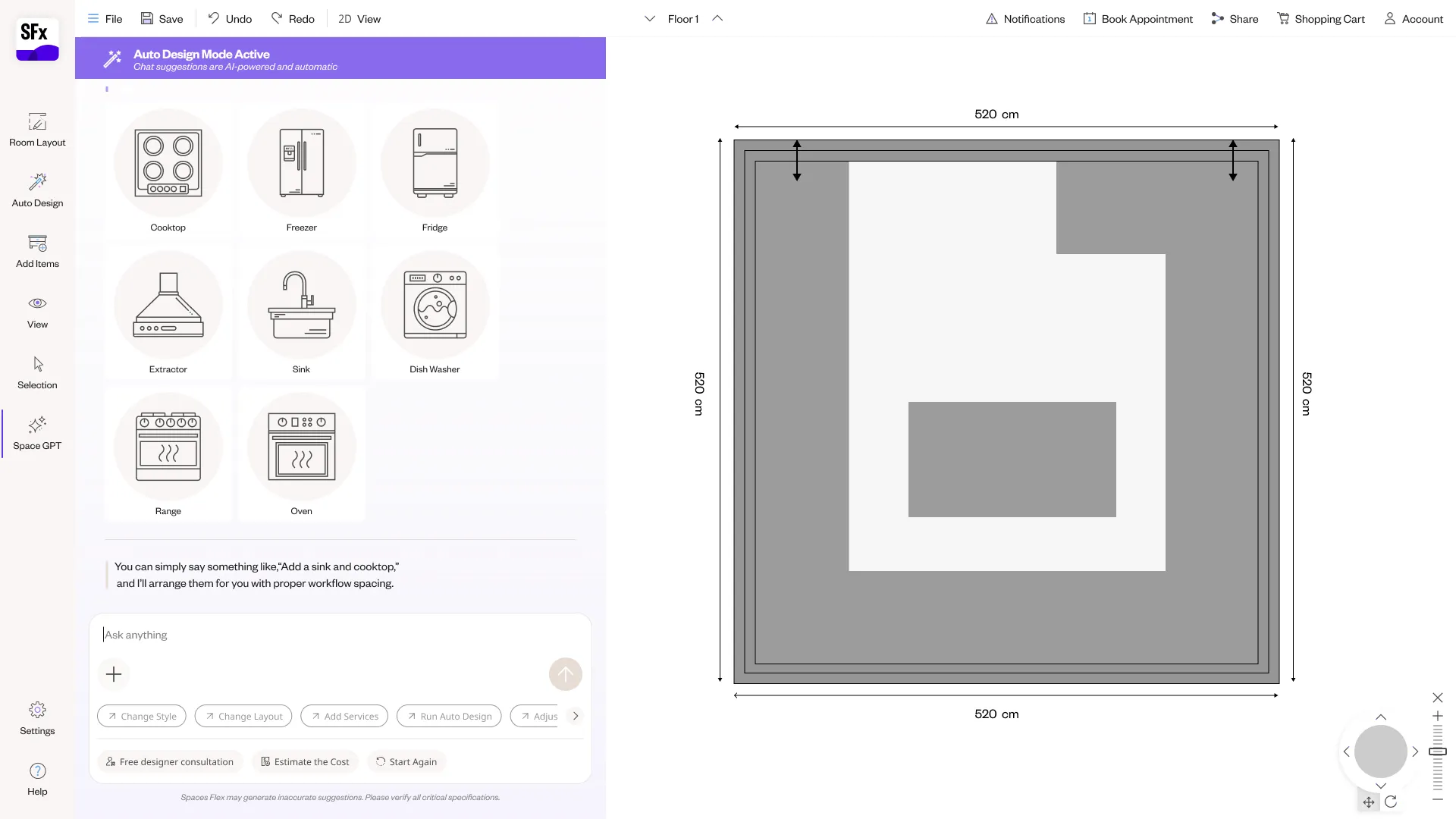
Cabinets and appliances are chosen and placed on the layout, from the real catalog.
- 04
Design in 3D
The room resolves into a full 3D design; materials and finishes are refined by conversation.
- 05
Generalise
The same conversational pattern plans other rooms — bathrooms included.
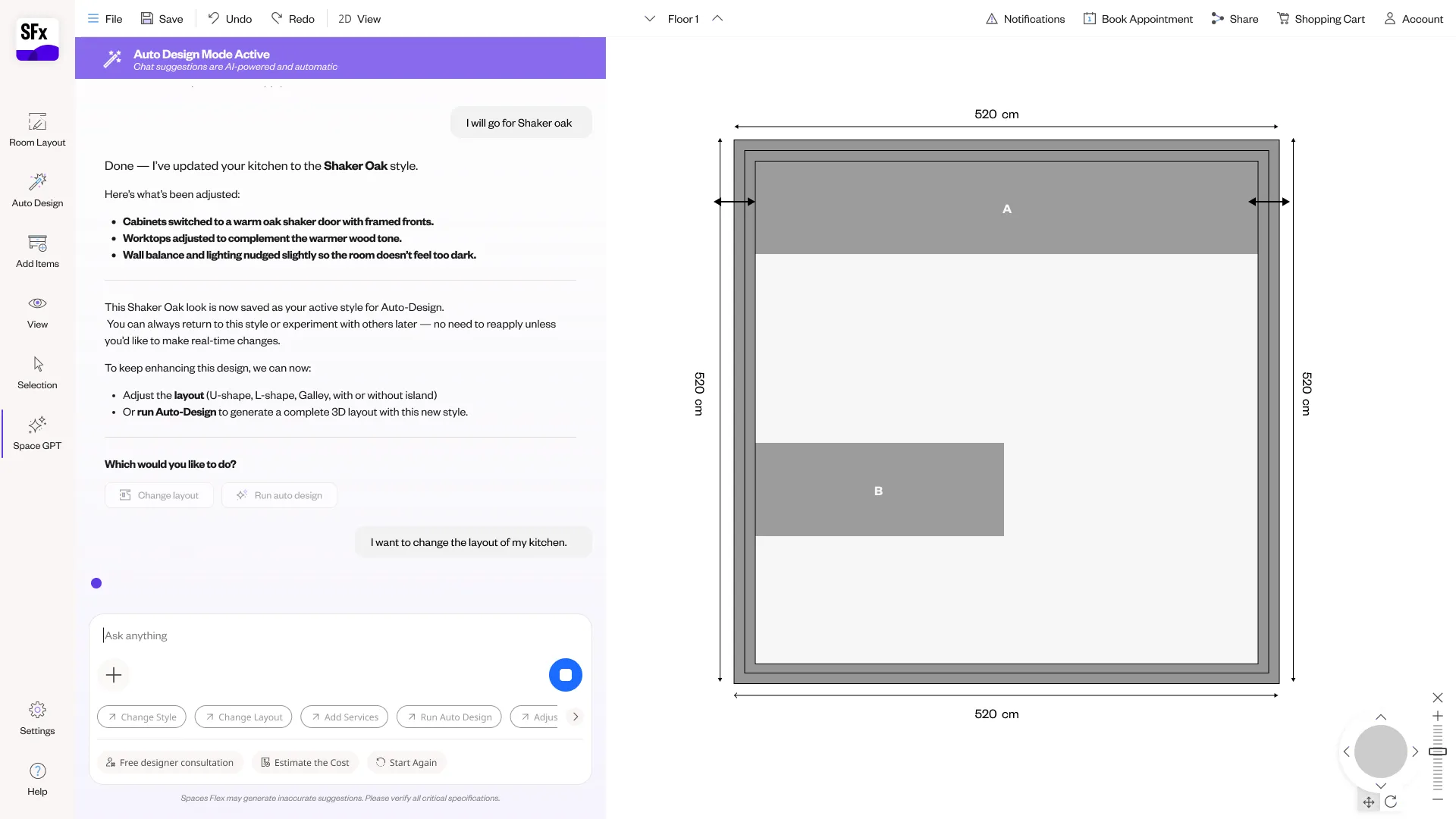
The AI lays out the room
Conversation that stays precise
A chat can say “add an island” loosely. A planner needs an island of real dimensions, from the catalog, in a valid spot. Loose intent can't drive a precise tool.
Options weighed
- Approximate placement: fast, but the output isn't a real, buildable plan.
- Force manual precision for everything: accurate, but that's the cold-start problem again.
- Map each conversational step to a precise, editable planner action grounded in the catalog.
Decision
Every conversational move resolves to a **real planner operation** — a wall of real length, a catalog cabinet at a valid position, a specified finish — all of it editable by hand afterwards. The conversation gets you there fast; the planner keeps it exact.
Trade-off — Tight coupling between language and the planner's data model, in exchange for output a professional can actually build from.
Beyond kitchens
Every screen, end to end
The complete flow — all 79 screens. Click any one to enlarge, and scroll across: Move into 3D, the 3D conversation, laying out the room, placing cabinets and appliances, designing in 3D, refining the plan, and bathrooms.
In closing
What changed
- A conversational entry into Cyncly's flagship 3D planner, Spaces Flex — not a separate inspiration tool, but the real thing.
- NLP that drives the planner's own tools: moving into 3D, laying out the room, placing catalog units, and resolving materials.
- A flow that stays coherent across the top-down layout and the 3D design view, with everything editable by hand.
- A conversational pattern that generalises beyond kitchens to bathrooms and other rooms.
What's still open
- Which parts of the flow are released versus in active development depends on product scope and engineering sequencing.
- Measured outcomes (activation, completion, time-to-design) belong to product analytics as it rolls out.
What I learned
The hard part wasn't the conversation — it was making the conversation drive a precise professional tool. Bringing NLP into Spaces Flex meant mapping every spoken intent to a real, editable planner action, and keeping one coherent thread across a 2D layout and a 3D design. Done right, the cold start of a powerful planner turns into a sentence.
Reinvent Your Space