Reinvent Your Space
Not everyone wants to talk to a design tool. This is Leap's visual way in — reinvent a space by pointing, filtering and searching: swap finishes, change the room, explore catalogs, with the render updating live. Desktop and mobile.
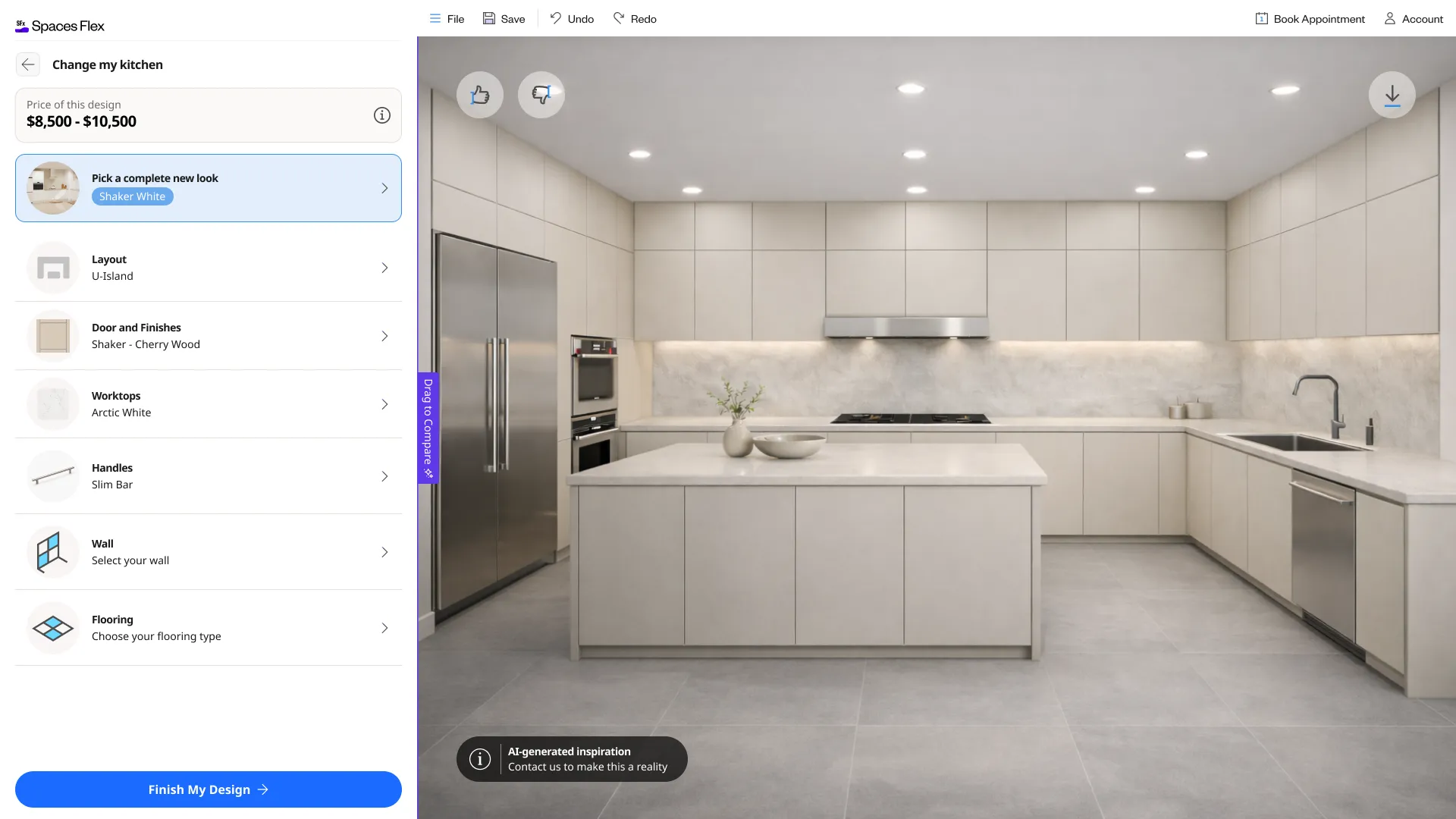
- Product
- Leap · Spaces Flex
- Visual configuration system
- Platforms
- Desktop & mobile
- Full experience on both
- Company
- Cyncly
- Leap — used by 200+ companies
- Status
- Shipped
The conversational tools answer one kind of user — the one who'll describe what they want. But a large share of people (and many pros in a showroom) would rather just see the options and pick. A chat-only product leaves them out. The challenge was to deliver the same outcome as the NLP flow — a real, catalog-grounded redesign of an actual space — through direct manipulation: visual choices, filters and search, fast and legible, on both desktop and a phone.
This is Leap's visual configuration system, the manual counterpart to the conversational experience. Built at Cyncly — the global kitchen, bath and interior-design software company trusted by 70,000+ businesses worldwide, and part of the Leap product used by 200+ companies — it widens who Leap serves: the same AI-grounded redesign, reached by pointing and filtering instead of chatting, with both a full desktop experience and a native-feeling mobile one. Newer capabilities ship progressively behind feature flags.
Constraints
- Same destination as the NLP flow — a real, catalog-grounded design — reached by direct manipulation instead of conversation.
- Every choice must stay grounded in the real catalog: selectable, specifiable, priced, and filterable across multiple catalogs.
- It has to feel complete on both a desktop two-pane canvas and a single-column phone, without becoming two different products.
- Finding the right product in a large catalog needs intelligent search, not just a filter tree.
- It bridges to the next step — the planner, or a human designer — and generates a real lead, with new features gated behind flags.
The other half of Leap
Leap's conversational experience lets people describe a space and let AI do the rest. But conversation isn't how everyone wants to design — plenty of people, and plenty of professionals, would rather see the options and pick.
This is that half: a visual, AI-assisted configuration system. Same grounding, same catalog, same destination — a real, buildable redesign of an actual room — but reached by pointing, filtering and searching instead of chatting. Designed end to end, on desktop and mobile.
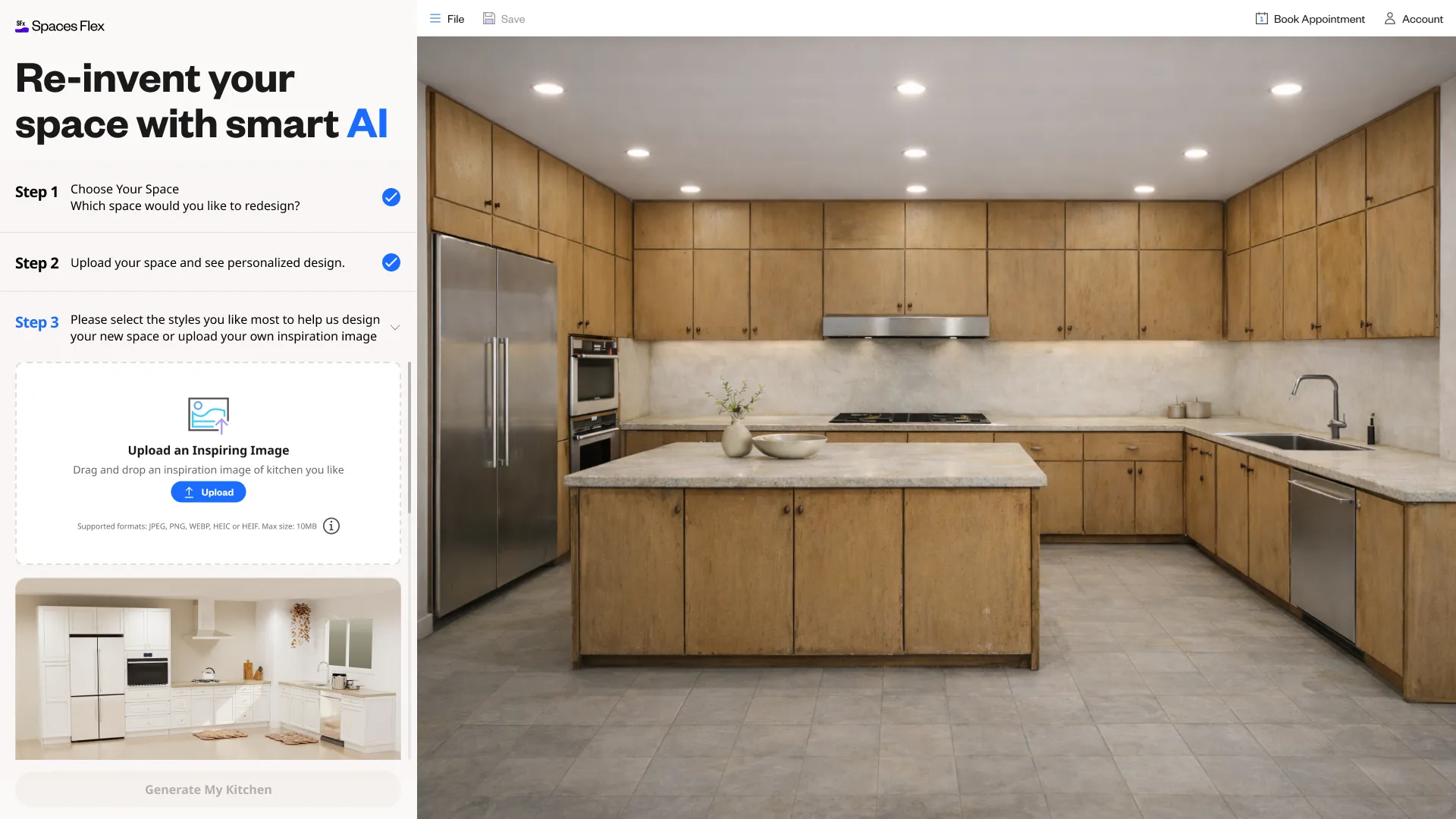
Reach the same outcome without the conversation
The NLP flow is powerful for people who'll describe what they want. But a visual-first user faces a blank chat box as friction, not help. The outcome shouldn't depend on willingness to type.
Options weighed
- Chat-only: elegant for describers, but it excludes everyone who'd rather just choose.
- A plain filter catalog: familiar, but it loses the live, see-it-on-your-space payoff.
- A visual configurator: direct manipulation — swap, filter, search — with the render updating live on the real space.
Decision
A **visual configuration system** that reaches the same AI-grounded redesign through direct manipulation — choose or upload the space, swap finishes and layouts from the catalog, filter and search — with the render updating live. The AI assists; the person stays in control by pointing.
Trade-off — Two interaction models to design and keep consistent with the NLP flow, in exchange for serving the large audience that would rather see and pick than describe.
The flow, end to end
- 01
Choose or upload your space
Pick a room type — kitchen or bathroom — or upload a photo of the actual space to design around it.
- 02
Swap finishes & materials
Change door styles, finishes, handles, walls and flooring from real catalog swatches — the render updates live.
- 03
Change the room & layout
Switch layouts (U-shape, L-shape, island) and pick a complete new look, or steer it with an inspiration image.
- 04
Filter & search the catalog
Filter across multiple catalogs by style, colour and brand, sort by price, and search intelligently for any product.
- 05
Move forward
See the price, finish the design into the planner, or book a designer — generating a real lead.
Filter and search the catalog
Grounded, priced, and multi-catalog
A visual tool is only useful if what you pick is real. Pretty swatches that can't be bought — or that ignore which catalog a retailer actually sells — are a dead end.
Options weighed
- Generic swatches: attractive, but not tied to real, orderable products.
- A single fixed catalog: real, but wrong for retailers who sell different ranges.
- Live, filterable catalogs — real products, with prices, across multiple sources.
Decision
Every option is a **real catalog product** — named, specifiable and **priced** — filterable across **multiple catalogs**, with intelligent search to find it. The visual choice is always a buyable one, and the design carries a real price toward a quote or a designer.
Trade-off — Tighter coupling to live, multi-catalog data, in exchange for a configurator whose output is genuinely orderable — not just inspiring.
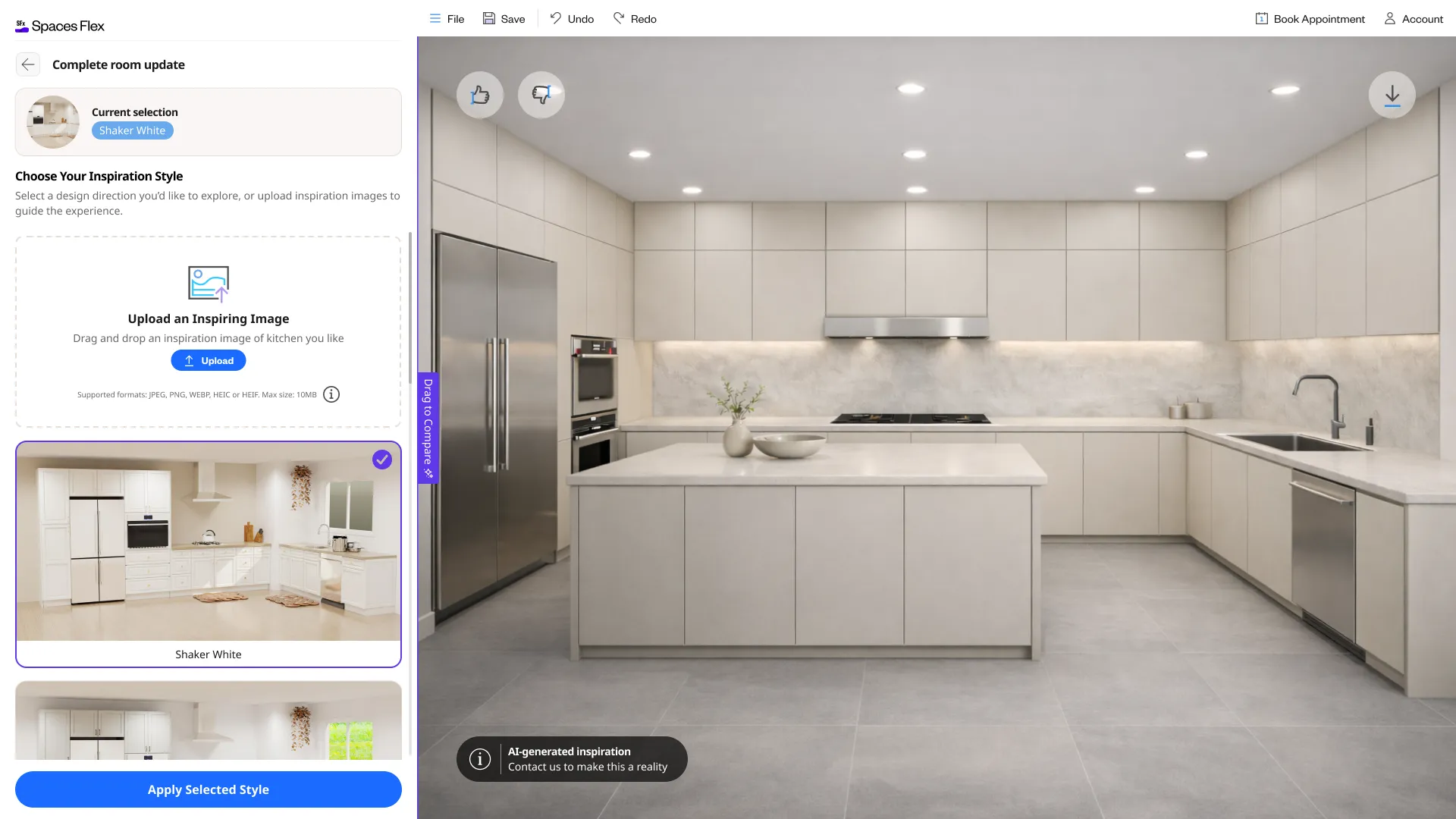
A full experience — on desktop and in your hand
The configurator isn't a desktop tool with a cut-down mobile view. It's designed for both: a two-pane canvas on desktop, and a focused single-column flow on a phone — same capabilities, same catalog, same live render, shaped to each screen.
The mobile experience

Every desktop screen
The full desktop flow and the intelligent search — click any one to enlarge, and scroll across: entry, choose/upload, swapping finishes, filtering catalogs, and search.
Every mobile screen
The complete mobile experience in realistic phone mockups — choose and upload, change finishes, inspiration styles, filters and prices, layout and the floor plan, plus search.
In closing
What changed
- A visual, AI-assisted configuration system for Leap — reinvent a space by pointing, filtering and searching, not only by conversation.
- Live, catalog-grounded configuration: swap finishes, change layouts and pick complete looks, with the render updating and a real price attached.
- Multi-catalog filtering plus intelligent search, so the right product is findable in a large catalog.
- A complete experience on both desktop and mobile, bridging to the planner or a designer — with newer features gated behind flags.
What's still open
- Which capabilities are live versus behind feature flags shifts as the system rolls out.
- Measured outcomes (engagement, completion, lead conversion) belong to product analytics as it scales.
What I learned
Conversation is one door in, not the only one. Serving the people who'd rather point meant rebuilding the same AI-grounded outcome as direct manipulation — fast swaps, real filters, intelligent search — and making it feel complete on a phone as much as a desktop. The lesson: match the interaction to the person, keep the grounding identical, and the tool reaches far more people.
Store Selector